In today’s digital age, managing passwords can feel like a Herculean task, especially for seniors. Remembering a multitude of unique and secure passwords for various online accounts is essential for protecting personal information, but it can also be overwhelming.
This article aims to simplify the process of managing passwords for seniors, providing practical tips and strategies to enhance online security. We’ll cover everything from creating strong passwords to using password managers and protecting against password theft.
By following these guidelines, seniors can navigate the digital world with confidence, knowing their online accounts are well-protected. Let’s explore how to make password management easier and more secure.
The Importance of Strong Passwords
Strong passwords are the first line of defense against unauthorized access to your online accounts. Weak or easily guessable passwords make you vulnerable to hackers and cybercriminals, who can steal your personal information, financial data, or even your identity.
Think of your password as the key to your digital life; you wouldn’t leave your house key under the doormat, would you? Similarly, using strong, unique passwords for each of your online accounts is a critical step in maintaining your online safety.
Reusing the same password across multiple accounts is a risky practice, as a breach on one website can compromise all accounts using that password. Imagine if a thief got a key that unlocked your house, your car, and your office; that’s what happens when you reuse passwords.
Data breaches are becoming increasingly common, and cybercriminals often target accounts with weak security measures. Securing your online accounts with robust passwords will make it far more difficult for criminals to access your sensitive information.
The consequences of a weak password can be devastating. Financial losses, identity theft, and reputational damage are just a few of the potential outcomes.
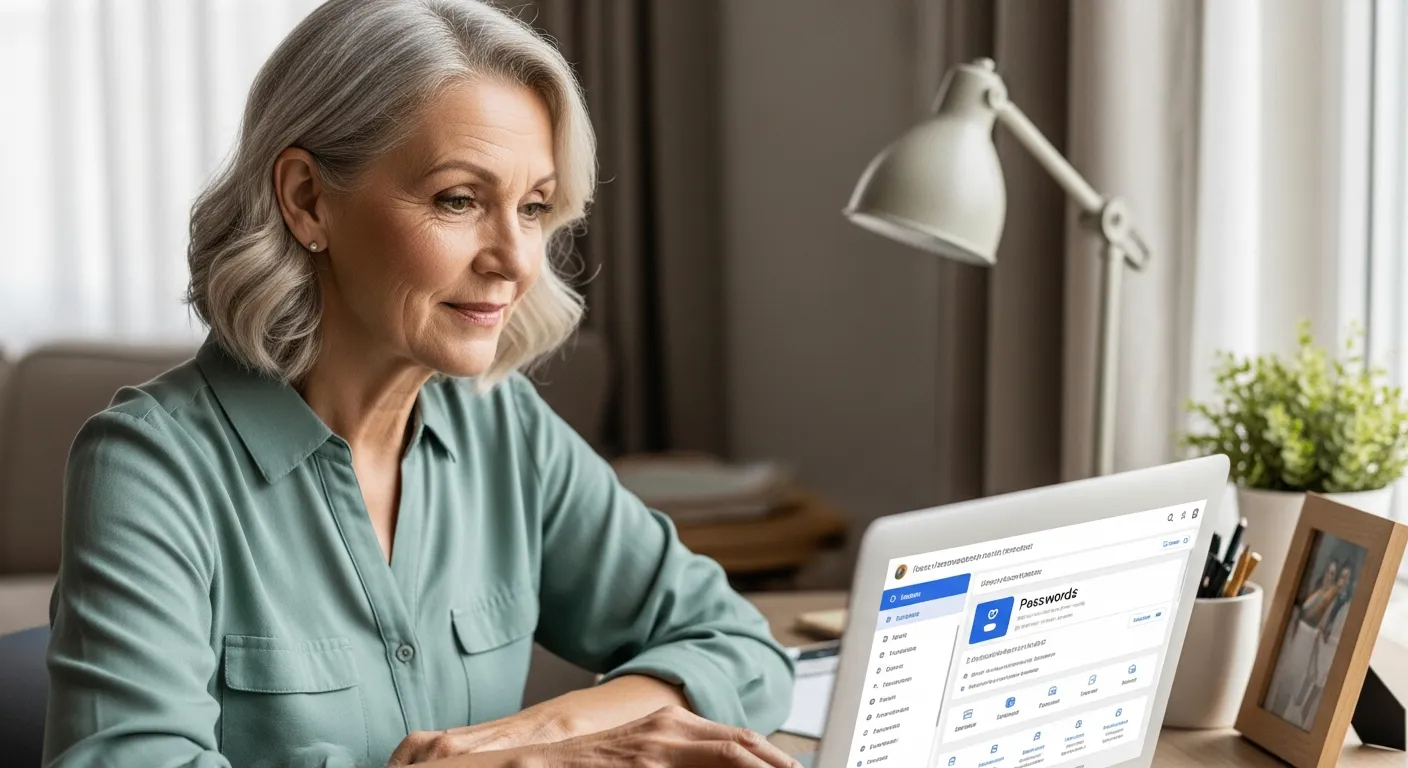
Strong passwords act as a barrier, deterring cybercriminals from gaining unauthorized access to your personal information. They significantly increase the time and resources required for hackers to crack your accounts.
By implementing strong password practices, you are actively safeguarding your digital identity. You are also protecting yourself and your loved ones from potential harm.
Remember, creating strong passwords is not just a suggestion; it’s a necessity in today’s interconnected world. Make it a priority to strengthen your online security and protect your valuable information.
Even seemingly unimportant accounts can be gateways to more sensitive information. Hackers may use access to a less secure account to gather information that helps them compromise more important ones.
Therefore, it is vital to protect every online account with a strong and unique password. This includes email accounts, social media profiles, and online banking portals.
Consider the peace of mind that comes with knowing your online accounts are well-protected. Strong passwords provide a sense of security and allow you to navigate the digital world with greater confidence.
Take the time today to review your existing passwords and identify any weaknesses. Replace any easily guessable passwords with strong, unique alternatives to fortify your online defenses.
Creating Memorable and Secure Passwords
Creating strong passwords doesn’t have to be a daunting task. The key is to find a balance between security and memorability, so you can remember your passwords without writing them down or using easily guessable information.
A good password should be at least 12 characters long and include a combination of uppercase and lowercase letters, numbers, and symbols. Avoid using personal information like your name, birthday, or address, as these are easily accessible and can be used to guess your password.
One effective method for creating memorable passwords is to use a passphrase, which is a sentence or phrase that’s easy for you to remember but difficult for others to guess. For example, “I love to walk my dog in the park every morning!” can be transformed into a strong password like “IltwmD1ntpem!”.
Another technique is to use a password generator, which can create random and secure passwords for you. While these passwords may be difficult to remember, you can store them securely in a password manager, which we’ll discuss in the next section.
Think of creating a password as building a digital fortress. Each character, number, and symbol adds another layer of protection against potential intruders.
Avoid using common words or phrases found in dictionaries. Hackers often use automated tools that try these common words first.
Consider using a combination of different languages to create a more complex password. This can make it significantly harder for hackers to crack.
When using a passphrase, try to incorporate unexpected elements or variations. This will make it even more difficult for others to guess.
For example, instead of “I love to eat pizza,” you could use “I l0v3 to e@t PiZzA!”. The substitutions add complexity.
Another helpful tip is to use acronyms based on a memorable sentence. For instance, “My favorite color is blue and I like cats” becomes “MfciBailc.”
Remember, the longer and more complex your password, the more secure it will be. Aim for a minimum of 12 characters, but longer is always better.
Test your password’s strength using online tools. These tools can help you assess how easily your password could be cracked.
Don’t be afraid to experiment with different techniques to find a password creation method that works best for you. The most important thing is to create strong and unique passwords that you can remember.
Consider writing down your passwords in a physical notebook and storing it in a secure location. This can be a helpful alternative to relying solely on your memory.
Using a Password Manager to Simplify Your Life
A password manager is a software application that securely stores your usernames and passwords, allowing you to access your online accounts with ease. Password managers can generate strong, unique passwords for each of your accounts, eliminating the need to remember multiple complex passwords.
These tools also automatically fill in your login credentials when you visit a website, saving you time and effort. Here’s a table highlighting the features of some popular password managers:
| Password Manager | Features | Cost |
|---|---|---|
| LastPass | Password generation, auto-fill, secure notes, multi-factor authentication | Free (basic), Premium ($3/month) |
| 1Password | Password generation, auto-fill, secure notes, travel mode, family sharing | Individual ($2.99/month), Family ($4.99/month) |
| Dashlane | Password generation, auto-fill, VPN, dark web monitoring, password health check | Free (basic), Premium ($4.99/month) |
| Bitwarden | Password generation, auto-fill, open source, secure notes, multi-factor authentication | Free (basic), Premium ($10/year) |
Password managers use strong encryption to protect your stored passwords. This means your data is scrambled and unreadable to anyone without the master password.
Using a password manager can significantly reduce your risk of falling victim to phishing attacks. Since the password manager automatically fills in your login credentials, it will only do so on legitimate websites.
Most password managers offer browser extensions that seamlessly integrate with your web browser. This makes it easy to access your stored passwords and generate new ones while browsing the internet.
Password managers can also store other sensitive information, such as credit card details and secure notes. This allows you to keep all your important data in one secure location.
Many password managers offer mobile apps that allow you to access your passwords on your smartphone or tablet. This is especially useful when logging into apps or websites on the go.
Consider the convenience of only having to remember one master password. This eliminates the need to memorize dozens of complex passwords for different accounts.
Password managers can also help you identify weak or reused passwords. They can alert you to passwords that need to be updated for better security.
Some password managers offer features like password sharing, allowing you to securely share passwords with family members or colleagues. This is useful for shared accounts or services.
Password managers can also help you stay organized by categorizing your passwords into different folders or groups. This makes it easier to find the password you need quickly.
Explore the different password manager options available and choose one that best suits your needs and preferences. Many offer free trials or basic versions that you can try before committing to a paid subscription.
Remember to choose a strong and unique master password for your password manager. This is the key to unlocking all your stored passwords, so it’s crucial to protect it.
Consider enabling two-factor authentication for your password manager for an extra layer of security. This will require you to enter a code from your phone in addition to your master password.
Choosing the Right Password Manager
Selecting the right password manager depends on your individual needs and preferences. Consider factors such as ease of use, features offered, security measures, and cost when making your decision.
Many password managers offer free versions with basic features, which may be sufficient for some users. However, premium versions often include additional features such as multi-factor authentication, secure storage for sensitive information, and priority customer support.
Before committing to a password manager, take advantage of free trials or read reviews from other users to get a better understanding of its capabilities. Look for password managers that use strong encryption methods to protect your data and offer two-factor authentication for added security.
It’s also essential to choose a reputable password manager from a trusted company with a proven track record of security and privacy. Be wary of lesser-known password managers that may not have the same level of security or support.
Consider the user interface and overall ease of use of the password manager. A user-friendly interface will make it easier to manage your passwords and navigate the application.
Think about the platforms and devices you use most often. Ensure that the password manager you choose is compatible with all your devices, including your computer, smartphone, and tablet.
Evaluate the security features offered by the password manager. Look for features like two-factor authentication, data breach monitoring, and secure password sharing.
Consider the customer support options available. Choose a password manager that offers reliable customer support in case you encounter any issues or have questions.
Read user reviews and ratings to get a better understanding of the password manager’s performance and reliability. Pay attention to both positive and negative reviews.
Check the password manager’s privacy policy to understand how your data is collected, used, and protected. Choose a password manager that respects your privacy and has a clear privacy policy.
Consider the cost of the password manager. Some password managers offer free versions, while others require a subscription fee. Choose a password manager that fits your budget and offers the features you need.
Think about the long-term viability of the password manager. Choose a password manager from a company that is financially stable and has a good reputation in the industry.
Consider the password manager’s ability to import and export your passwords. This will allow you to easily transfer your passwords to another password manager if needed.
Look for a password manager that offers a password generator. This feature can help you create strong and unique passwords for each of your online accounts.
Protecting Your Passwords from Theft
Even with strong passwords and a password manager, it’s essential to take additional steps to protect your passwords from theft. Phishing scams, malware, and other cyber threats can compromise your online security, so it’s crucial to be vigilant and proactive.
Phishing scams are deceptive emails or websites that attempt to trick you into revealing your passwords or other sensitive information. Be wary of suspicious emails that ask you to click on links or provide personal details, especially if they come from unknown senders or contain grammatical errors.
Malware, such as viruses and spyware, can also steal your passwords and other data from your computer or mobile device. Install a reputable antivirus program and keep it updated to protect against malware infections.
Avoid using public Wi-Fi networks for sensitive transactions, as these networks are often unsecured and can be easily intercepted by hackers. Use a virtual private network (VPN) to encrypt your internet traffic and protect your data when using public Wi-Fi.
Always keep your software and operating systems up to date. Software updates often include security patches that protect against known vulnerabilities.
Be cautious when downloading files or clicking on links from unknown sources. These files or links may contain malware that can steal your passwords.
Use a strong firewall to protect your computer from unauthorized access. A firewall acts as a barrier between your computer and the internet.
Be aware of social engineering tactics. Cybercriminals may try to trick you into revealing your passwords by impersonating someone you trust.
Regularly scan your computer for malware using a reputable antivirus program. This will help detect and remove any malware that may be present on your system.
Be careful about what information you share online. Avoid sharing sensitive information like your passwords or financial details on social media or in emails.
Use a strong password for your Wi-Fi network. This will prevent unauthorized users from accessing your network and potentially stealing your passwords.
Enable two-factor authentication for all your important online accounts. This adds an extra layer of security and makes it more difficult for hackers to access your accounts.
Be wary of phone calls or text messages asking for your passwords or other sensitive information. Legitimate companies will never ask for your passwords over the phone or text.
Educate yourself about the latest cyber threats and security best practices. Staying informed will help you protect yourself from password theft.
Enabling Multi-Factor Authentication
Multi-factor authentication (MFA) adds an extra layer of security to your online accounts by requiring you to provide two or more forms of identification when logging in. This makes it much more difficult for hackers to access your accounts, even if they have your password.
Common forms of MFA include something you know (your password), something you have (a code sent to your phone), and something you are (a fingerprint or facial recognition). Enabling MFA on your most important accounts, such as your email, banking, and social media accounts, can significantly enhance your security.
Many websites and apps now offer MFA as an option, so take the time to enable it whenever possible. If a website offers MFA through an authenticator app, like Google Authenticator or Authy, that’s generally more secure than SMS-based MFA, which can be vulnerable to SIM swap attacks.
Even if a website only offers SMS-based MFA, it’s still better than nothing, as it adds an extra hurdle for hackers to overcome. By enabling MFA, you’re making it much harder for anyone to access your accounts without your permission.
MFA is like adding a second lock to your front door. Even if someone manages to pick the first lock (your password), they still need the second key (your phone or fingerprint).
Consider the peace of mind that comes with knowing your accounts are protected by an extra layer of security. MFA can help prevent unauthorized access even if your password is compromised.
Authenticator apps generate unique codes that change every few seconds. This makes it virtually impossible for hackers to guess the code.
SMS-based MFA sends a code to your phone via text message. While this is less secure than authenticator apps, it’s still better than nothing.
Biometric authentication uses your fingerprint or facial recognition to verify your identity. This is a convenient and secure way to enable MFA.
Hardware security keys are physical devices that you can use to enable MFA. These keys are highly secure and resistant to phishing attacks.
Enabling MFA is a simple but effective way to protect your online accounts from unauthorized access. Take the time to enable it for all your important accounts.
If you’re not sure how to enable MFA for a particular website or app, consult the website’s help documentation or contact customer support.
Be sure to keep your recovery codes in a safe place. These codes can be used to regain access to your account if you lose access to your MFA device.
Remember, MFA is an essential security measure that can significantly reduce your risk of becoming a victim of cybercrime. Don’t hesitate to enable it for all your important accounts.
Recognizing and Avoiding Phishing Scams
Phishing scams are a common way for cybercriminals to steal passwords and other sensitive information. These scams often involve deceptive emails, websites, or text messages that appear to be legitimate but are designed to trick you into revealing your personal details.
Be wary of emails or messages that ask you to click on links, provide personal information, or take immediate action, especially if they come from unknown senders or contain grammatical errors. Always verify the sender’s identity before responding to any suspicious communication.
Here are some tips for recognizing and avoiding phishing scams:
- Check the sender’s email address carefully.
- Look for grammatical errors and typos.
- Be wary of urgent or threatening language.
- Never click on links in suspicious emails.
- Verify requests through official channels.
Phishing emails often mimic legitimate emails from banks, credit card companies, or other trusted organizations. Pay close attention to the sender’s email address and the content of the email.
Hover your mouse over links in emails before clicking on them to see the actual URL. If the URL looks suspicious or doesn’t match the website it’s supposed to be, don’t click on it.
Be wary of emails that ask you to update your account information or verify your password. Legitimate companies will never ask for your password via email.
If you’re unsure whether an email is legitimate, contact the company directly to verify the request. Use a phone number or website address that you know is legitimate.
Be suspicious of emails that offer prizes, rewards, or other incentives in exchange for your personal information. These are often phishing scams.
Never enter your personal information on a website that doesn’t have a secure connection. Look for the padlock icon in the address bar and make sure the URL starts with “https://”.
Be careful about opening attachments from unknown senders. Attachments can contain malware that can steal your passwords and other sensitive information.
Report phishing emails to the company that is being impersonated. This will help them take action to protect their customers.
Educate yourself about the latest phishing scams and techniques. Staying informed will help you recognize and avoid these scams.
Remember, if something seems too good to be true, it probably is. Be cautious and skeptical of any email or message that asks you for your personal information.
Always trust your instincts. If you feel uncomfortable or suspicious about an email or message, don’t respond to it.
By being vigilant and proactive, you can protect yourself from phishing scams and keep your passwords and other sensitive information safe.
Think of phishing scams as digital traps designed to lure you into revealing your personal information. Be aware of these traps and take steps to avoid them.
What to Do If Your Password is Compromised
If you suspect that your password has been compromised, it’s essential to take immediate action to minimize the damage. The first step is to change your password immediately on the affected account and any other accounts that use the same password.
Next, review your account activity for any unauthorized transactions or changes, and report any suspicious activity to the service provider. If your financial information has been compromised, contact your bank or credit card company to report the fraud and request a new card.
Consider placing a fraud alert on your credit report to help prevent identity theft. A fraud alert requires creditors to verify your identity before opening new accounts in your name.
You should also run a scan of your computer or mobile device with a reputable antivirus program to check for malware. If you find any malware, remove it immediately and consider changing your passwords again after the scan is complete.
Don’t panic, but act quickly. The sooner you take action, the less damage the compromise will cause.
Document everything. Keep records of all the steps you take, including the dates and times you changed your passwords, reported fraud, and contacted service providers.
Consider changing your security questions and answers as well. Hackers may be able to guess your security questions if they have access to your personal information.
Monitor your credit report regularly for any signs of identity theft. You can get a free copy of your credit report from each of the three major credit bureaus once a year.
Be wary of follow-up scams. Cybercriminals may try to take advantage of the situation by contacting you with fake offers of help or protection.
If you’re not sure what to do, contact a cybersecurity expert or a trusted friend or family member for help. They can provide guidance and support during this difficult time.
Learn from the experience. Take steps to improve your online security practices to prevent future password compromises.
Report the password compromise to the Federal Trade Commission (FTC). The FTC can provide resources and support to victims of identity theft.
Consider freezing your credit report. This will prevent anyone from opening new accounts in your name without your permission.
Remember, you’re not alone. Many people have experienced password compromises. Take action to protect yourself and learn from the experience.
Regularly Updating Your Passwords
It’s a good practice to update your passwords regularly, even if you haven’t experienced any security breaches. Changing your passwords every few months can help reduce the risk of unauthorized access to your accounts.
When updating your passwords, be sure to choose strong, unique passwords that you haven’t used before. Avoid using the same password across multiple accounts, and don’t reuse old passwords that have been compromised in the past.
If you’re using a password manager, it can help you generate and store new, secure passwords for each of your accounts. Make it a habit to update your passwords on a regular basis, and consider setting a reminder to help you stay on track.
Regular password updates are a simple but effective way to enhance your online security and protect your personal information. By taking this proactive step, you can reduce your risk of becoming a victim of cybercrime.
Think of updating your passwords as changing the locks on your doors. It’s a simple way to keep your home secure.
Set a reminder on your calendar to update your passwords every three to six months. This will help you stay on track and avoid forgetting to update them.
When updating your passwords, be sure to choose passwords that are easy for you to remember but difficult for others to guess. Use a combination of uppercase and lowercase letters, numbers, and symbols.
Avoid using personal information like your name, birthday, or address in your passwords. This information is easy for hackers to find and use to guess your passwords.
Use a password generator to create strong, unique passwords for each of your accounts. Password generators can create random passwords that are difficult to crack.
Store your passwords in a password manager. Password managers can securely store your passwords and automatically fill them in when you visit a website.
Enable two-factor authentication for all your important online accounts. This adds an extra layer of security and makes it more difficult for hackers to access your accounts.
Be wary of phishing emails and websites. Phishing scams are designed to trick you into revealing your passwords and other sensitive information.
Keep your software and operating systems up to date. Software updates often include security patches that protect against known vulnerabilities.
By regularly updating your passwords and taking other security precautions, you can significantly reduce your risk of becoming a victim of cybercrime.
Conclusion
Managing passwords doesn’t have to be a daunting task for seniors. By following these tips and strategies, you can create strong passwords, protect them from theft, and simplify your online life with a password manager.
Remember, online security is an ongoing process, so stay vigilant, stay informed, and take proactive steps to protect your personal information. With the right tools and knowledge, you can navigate the digital world with confidence and peace of mind, managing passwords for seniors doesn’t have to be a burden.
Embrace these practices as part of your routine for a safer online experience. Your digital security is an investment in your peace of mind.
Share this information with other seniors to help them protect themselves online. Knowledge is power, especially when it comes to cybersecurity.
The digital world is constantly evolving, so stay informed about the latest security threats and best practices. Continuous learning is key to staying safe online.
Remember, you are not alone in this journey. There are many resources available to help you manage your passwords and protect your online security.
Take control of your online security today and enjoy the benefits of a safer and more secure digital life. You deserve to feel confident and protected online.
By implementing these strategies, you are not only protecting yourself but also contributing to a safer online environment for everyone.
Your online security is a valuable asset. Protect it with strong passwords, a password manager, and a vigilant approach to online safety.
Embrace the digital world with confidence, knowing that you have the tools and knowledge to protect yourself online. You can navigate the internet safely and securely.