Ensuring the safety and security of our homes is a top priority, especially as we or our loved ones age. Smart home security for seniors offers an innovative solution, providing peace of mind and enhanced independence.
These systems use technology to monitor your home, alert you to potential dangers, and even connect you with emergency services. Let’s examine how smart home security systems can make a real difference in the lives of seniors.
From preventing falls to deterring intruders, the benefits are numerous. This guide will walk you through the ins and outs of choosing, setting up, and maintaining a smart home security system tailored to the unique needs of seniors.
Benefits of Smart Home Security
Smart home security systems offer a multitude of advantages for seniors, enhancing their safety and overall well-being. These systems go beyond traditional security measures, providing features designed to address specific needs.
One major benefit is the ability to prevent falls, a common concern for older adults. Many systems include wearable devices that can detect falls and automatically alert emergency services or designated contacts.
Smart home security systems can also deter intruders, offering a sense of security and reducing the risk of break-ins. Security cameras, smart locks, and alarm systems work together to protect the home.
Remote monitoring capabilities allow family members or caregivers to check in on seniors, providing reassurance and timely assistance. This can be especially helpful for those who live alone or have mobility issues.
Beyond just preventing falls, smart home systems can also monitor activity levels. Unusual inactivity could indicate a health issue requiring attention.
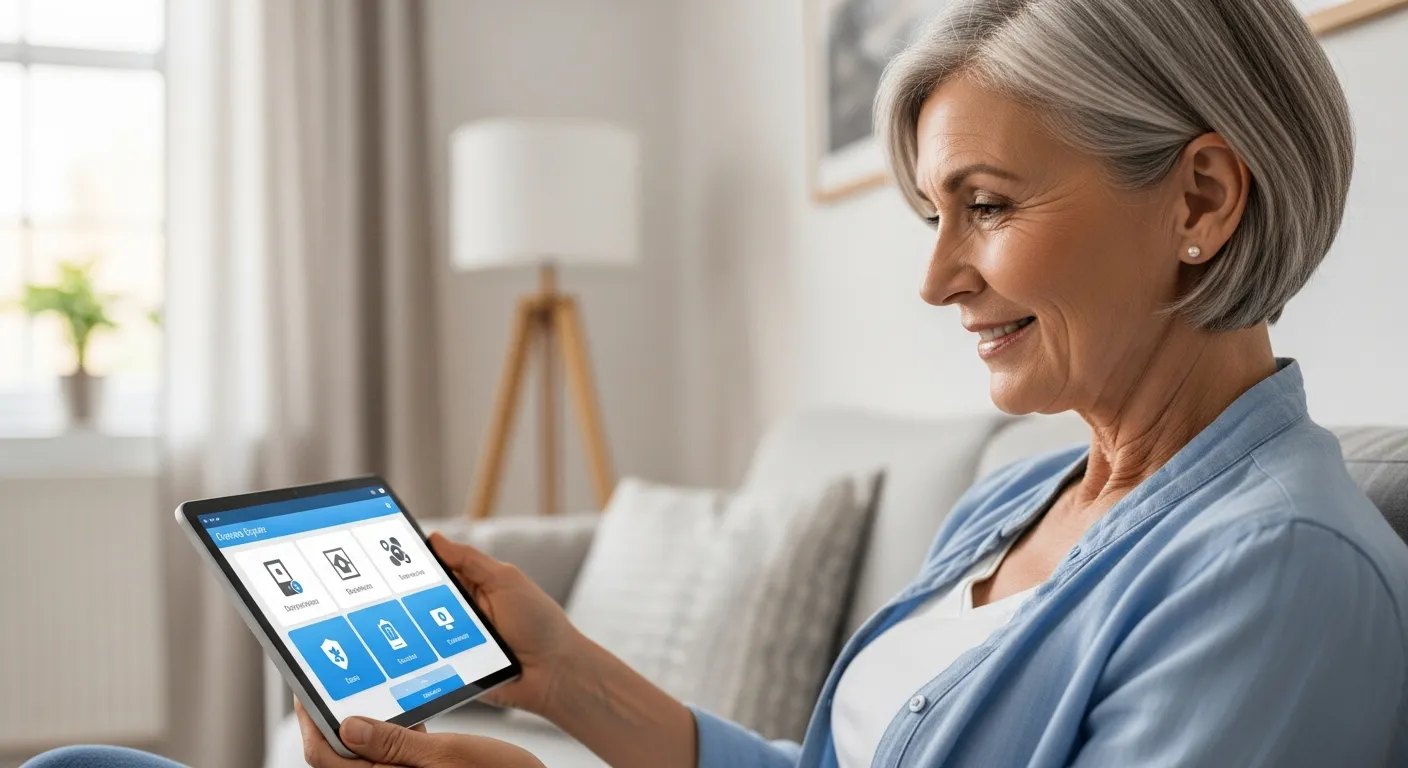
The integration of voice assistants allows for hands-free control of the system. Seniors can arm or disarm the system, call for help, or adjust the thermostat with simple voice commands.
Smart home security can provide a greater sense of control and independence for seniors. They can manage their home environment and security without relying solely on others.
The enhanced security features can also reduce stress and anxiety for both seniors and their families. Knowing that help is readily available can bring significant peace of mind.
Many systems also offer environmental monitoring, detecting smoke, carbon monoxide, and extreme temperatures. This adds another layer of protection against potential hazards.
Smart home security can also be customized to meet the specific needs of each individual. Features can be added or removed as needs change over time.
The ability to receive notifications on a smartphone or tablet allows for quick response to potential issues. Family members can stay informed and take action when necessary.
Smart lighting can also be integrated into the system, providing added security and convenience. Lights can be programmed to turn on automatically at dusk or when motion is detected.
Choosing the Right Security System
Selecting the right smart home security system requires careful consideration of individual needs and preferences. There are several factors to evaluate to ensure the system meets your specific requirements.
Consider the size and layout of the home when choosing a system. A larger home may require more sensors and cameras to provide comprehensive coverage, while a smaller apartment may need a more basic setup.
Think about the senior’s technical abilities and comfort level with technology. A system with a simple, user-friendly interface is essential for ease of use and adoption.
Evaluate the available features, such as fall detection, emergency alerts, and remote monitoring. Prioritize features that address the most pressing safety concerns and provide the greatest benefit.
Assess the senior’s physical limitations and consider devices that are easy to use and access. Large buttons, voice control, and simplified interfaces can be very helpful.
Consider whether professional monitoring is necessary or if self-monitoring is sufficient. Professional monitoring provides 24/7 support and can dispatch emergency services when needed.
Think about the level of integration with other smart home devices. A system that works seamlessly with existing smart devices can provide a more comprehensive and convenient experience.
Consider the cost of the system, including upfront equipment costs and monthly monitoring fees. Look for a system that offers a good balance of features and affordability.
Read reviews and testimonials from other users to get an idea of the system’s reliability and performance. This can help you make an informed decision.
Check the system’s compatibility with different internet providers and devices. Ensure that the system will work with your existing setup.
Consider the system’s expandability and whether it can be easily upgraded in the future. This will allow you to add new features and devices as your needs change.
Think about the system’s power backup capabilities in case of a power outage. A system with a battery backup can continue to function even when the power is out.
Consider the system’s warranty and return policy. A good warranty can protect you from unexpected repairs or replacements.
Evaluate the system’s ease of installation and setup. A system that is easy to install can save you time and money.
Comparing Security System Providers
Numerous companies offer smart home security systems, each with its own unique features and pricing plans. Researching and comparing different providers is crucial to finding the best fit.
Look into the reputation and customer reviews of each provider before making a decision. A provider with a track record of reliable service and responsive customer support is essential for a positive experience.
| Provider | Monthly Cost | Key Features |
|---|---|---|
| ADT | $45-60 | Professional monitoring, smart home integration, mobile app |
| SimpliSafe | $15-25 | DIY installation, no contracts, affordable |
| Ring | $20-30 | Video doorbell, security cameras, Alexa integration |
| Vivint | $40-50 | Professional installation, advanced security features, 24/7 monitoring |
Consider the contract terms and cancellation policies of each provider. Some companies require long-term contracts, while others offer month-to-month options for greater flexibility.
Evaluate the level of customer support offered by each provider. Look for providers that offer 24/7 support and multiple channels of communication, such as phone, email, and chat.
Compare the equipment offered by each provider, including sensors, cameras, and control panels. Look for high-quality equipment that is durable and reliable.
Consider the integration capabilities of each provider’s system. A system that integrates with other smart home devices can provide a more seamless and convenient experience.
Think about the provider’s experience in the smart home security industry. A provider with a long history and a proven track record is more likely to provide reliable service.
Check the provider’s security certifications and compliance with industry standards. This can ensure that the system is secure and meets all necessary regulations.
Consider the provider’s pricing structure and whether there are any hidden fees. Look for a provider that is transparent about its pricing and offers a clear breakdown of costs.
Evaluate the provider’s installation options and whether they offer professional installation or DIY installation. Choose the option that best suits your needs and technical abilities.
Think about the provider’s reputation for innovation and whether they are constantly updating their system with new features and technologies. This can ensure that you are always getting the latest and greatest security features.
Consider the provider’s commitment to privacy and data security. Look for a provider that has strong privacy policies and takes steps to protect your personal information.
Evaluate the provider’s mobile app and whether it is user-friendly and easy to navigate. A good mobile app can make it easy to control your security system from anywhere.
Setting Up Your Security System
Setting up a smart home security system can be a straightforward process, especially with DIY installation options. However, professional installation may be preferable for those who are less tech-savvy or have more complex needs.
If opting for DIY installation, carefully follow the instructions provided by the manufacturer. Start by placing the base station in a central location and connecting it to the internet.
Install sensors on doors and windows, ensuring they are securely attached and properly aligned. Place security cameras in strategic locations, such as entryways and common areas, to capture clear footage.
Test the system thoroughly after installation to ensure all components are functioning correctly. Check that sensors are triggering alarms, cameras are recording, and alerts are being sent to the appropriate contacts.
Before starting, gather all the necessary tools and equipment, such as a screwdriver, drill, and ladder. Having everything on hand will make the installation process smoother.
Make sure to properly configure the system’s settings, such as notification preferences and user permissions. This will ensure that the system is working the way you want it to.
If you are installing security cameras, consider the placement carefully to avoid blind spots. Ensure that the cameras have a clear view of the areas you want to monitor.
For wireless systems, make sure that the sensors and cameras are within range of the base station. Weak signals can cause the system to malfunction.
If you are having trouble with the installation, don’t hesitate to contact the manufacturer’s customer support. They can provide helpful guidance and troubleshooting tips.
After the installation is complete, take some time to familiarize yourself with the system’s features and functions. This will help you use the system effectively and respond quickly to any alerts.
Consider creating a user manual or cheat sheet with instructions on how to use the system. This can be helpful for seniors who may have difficulty remembering the steps.
Periodically check the system’s settings and make any necessary adjustments. This will ensure that the system is always working optimally.
If you are using professional monitoring, make sure that the monitoring company has all the necessary contact information. This will ensure that they can reach you or your designated contacts in case of an emergency.
Consider adding extra sensors or cameras to expand the system’s coverage. This can provide added security and peace of mind.
Integrating Smart Locks
Smart locks are a valuable addition to any smart home security system, offering keyless entry and enhanced control over who can access the home. These devices replace traditional deadbolts with electronic locks that can be controlled remotely.
With a smart lock, seniors can unlock their doors using a smartphone, keypad, or even voice commands. This eliminates the need to fumble with keys, which can be especially helpful for those with arthritis or limited dexterity.
Smart locks also allow you to create temporary access codes for visitors, caregivers, or family members. These codes can be easily revoked when no longer needed, providing an extra layer of security.
Many smart locks integrate with other smart home devices, such as security cameras and alarm systems. This allows you to create automated routines, such as locking the door and arming the alarm system when you leave the house.
When choosing a smart lock, consider the type of lock that is compatible with your door. Some smart locks require a specific type of deadbolt or door thickness.
Look for smart locks that have a backup key in case of a power outage or technical malfunction. This will ensure that you can always access your home.
Consider smart locks that have a tamper-resistant design to prevent unauthorized access. Some smart locks have features like alarm systems and reinforced construction.
Think about the smart lock’s integration with other smart home platforms, such as Amazon Alexa or Google Assistant. This will allow you to control the lock with voice commands.
Consider the smart lock’s battery life and how often you will need to replace the batteries. Some smart locks have a long battery life, while others require more frequent battery changes.
If you are installing a smart lock yourself, carefully follow the manufacturer’s instructions. Improper installation can compromise the lock’s security.
Consider the smart lock’s user interface and whether it is easy for seniors to use. Look for a lock with large buttons and a clear display.
Think about the smart lock’s remote access capabilities and whether you can control the lock from anywhere. This can be helpful for caregivers or family members who need to grant access to the home.
Consider the smart lock’s security features, such as two-factor authentication and encryption. These features can help protect your home from unauthorized access.
Evaluate the smart lock’s durability and whether it can withstand harsh weather conditions. Look for a lock that is made from high-quality materials and is designed to last.
Emergency Features and Alerts
One of the most important aspects of smart home security for seniors is the availability of emergency features and alerts. These features can provide immediate assistance in the event of a fall, medical emergency, or other urgent situation.
Fall detection is a particularly valuable feature, using wearable devices or sensors to detect when a fall has occurred. When a fall is detected, the system automatically alerts emergency services or designated contacts.
- Panic buttons for immediate help
- Voice-activated emergency calls
- Automatic alerts to caregivers
- Integration with medical alert systems
- Real-time location tracking
Many systems also offer two-way communication, allowing seniors to speak directly with emergency responders or caregivers. This can provide reassurance and valuable information during a crisis.
When choosing a system with fall detection, consider the type of sensor that is used. Some systems use wearable devices, while others use motion sensors or cameras.
Ensure that the panic button is easily accessible and can be activated quickly in an emergency. The button should be large and easy to press, even for seniors with limited dexterity.
Consider systems that offer voice-activated emergency calls. This can be helpful for seniors who are unable to reach a phone or press a button.
Make sure that the system’s alerts are sent to the appropriate contacts, such as family members, caregivers, or emergency services. The system should allow you to customize the contact list and notification preferences.
Consider systems that integrate with medical alert systems. This can provide a more comprehensive level of protection and ensure that seniors receive the medical attention they need in an emergency.
Think about systems that offer real-time location tracking. This can be helpful for seniors who are prone to wandering or getting lost.
Consider systems that have a backup power supply in case of a power outage. This will ensure that the emergency features continue to function even when the power is out.
Make sure that the system’s emergency features are tested regularly to ensure that they are working properly. This will help you identify any potential problems and address them before an emergency occurs.
Consider systems that offer a range of emergency features, such as smoke detection, carbon monoxide detection, and flood detection. This can provide added protection against a variety of potential hazards.
Evaluate the system’s response time and whether it can quickly dispatch emergency services when needed. A fast response time can be critical in an emergency situation.
Monitoring Your Home Remotely
Remote monitoring is a key feature of smart home security systems, allowing family members or caregivers to check in on seniors from anywhere. This can provide peace of mind and timely assistance when needed.
Through a smartphone app or web portal, authorized users can view live video feeds from security cameras, check the status of doors and windows, and receive alerts when activity is detected. This allows them to stay informed about what’s happening at home.
Remote monitoring can also be used to manage smart home devices, such as lights and thermostats. This allows caregivers to ensure the home is comfortable and safe for the senior.
Some systems offer geofencing capabilities, which create a virtual boundary around the home. When the senior enters or exits the geofenced area, designated contacts receive an alert, providing an extra layer of security.
When choosing a system with remote monitoring, consider the quality of the video feeds. Look for systems that offer high-resolution video and a wide field of view.
Ensure that the remote monitoring app is user-friendly and easy to navigate. The app should allow you to quickly access the features you need.
Consider systems that offer two-way audio communication. This will allow you to speak directly with the senior and provide reassurance or instructions.
Make sure that the system’s alerts are customizable and can be tailored to your specific needs. You should be able to choose which events trigger alerts and how those alerts are delivered.
Consider systems that offer cloud storage for video recordings. This will allow you to review past events and provide evidence in case of an incident.
Think about the system’s security features and whether it protects your privacy. Look for systems that use encryption and other security measures to prevent unauthorized access to your data.
Consider systems that offer integration with other smart home devices. This will allow you to control all of your smart home devices from a single app.
Make sure that the system’s remote monitoring features are reliable and work consistently. Test the system regularly to ensure that it is functioning properly.
Consider systems that offer a range of remote monitoring features, such as activity tracking, medication reminders, and virtual check-ins. This can provide a more comprehensive level of care and support.
Evaluate the system’s cost and whether it offers a good value for the features you need. Compare the prices of different systems and choose the one that best fits your budget.
Maintaining Your Security System
To ensure your smart home security system continues to function properly, regular maintenance is essential. This includes checking the batteries in sensors and cameras, updating software, and cleaning equipment.
Replace batteries in sensors and cameras as needed, following the manufacturer’s recommendations. Low batteries can compromise the system’s effectiveness, so it’s important to stay on top of this task.
Keep the system’s software up to date to ensure it has the latest security patches and features. Software updates often include important improvements that can enhance the system’s performance and reliability.
Clean security cameras regularly to maintain clear video quality. Dust and dirt can accumulate on the lens, reducing visibility and making it difficult to identify potential threats.
Regularly test the system’s sensors and alarms to ensure that they are working properly. This will help you identify any potential problems and address them before they become a serious issue.
Check the system’s internet connection to ensure that it is stable and reliable. A weak or intermittent connection can prevent the system from functioning properly.
Review the system’s settings and make any necessary adjustments. This will ensure that the system is working the way you want it to and that it is meeting your specific needs.
Clean the system’s control panel and other components to prevent dust and dirt from accumulating. This can help to extend the life of the system.
Consider creating a maintenance schedule to help you stay on top of these tasks. This will ensure that you don’t forget to perform important maintenance procedures.
If you are using professional monitoring, contact the monitoring company regularly to review your account and make sure that all of your contact information is up to date. This will ensure that they can reach you or your designated contacts in case of an emergency.
If you are having trouble maintaining the system yourself, consider hiring a professional to perform the maintenance for you. This can be a good option for seniors who are not comfortable working with technology.
Consult the system’s user manual for specific maintenance instructions. The user manual will provide detailed information on how to maintain the system properly.
Keep the system’s software updated to protect it from security vulnerabilities. Software updates often include important security patches that can help to prevent unauthorized access to your system.
Regularly inspect the system’s wiring and connections to ensure that they are secure and in good condition. Loose or damaged wiring can cause the system to malfunction.
Conclusion
Smart home security for seniors offers a powerful way to enhance safety, independence, and peace of mind. By choosing the right system, setting it up properly, and maintaining it regularly, you can create a secure and supportive environment.
With features like fall detection, remote monitoring, and smart locks, these systems address the unique needs of older adults. They provide valuable assistance in emergencies and help prevent accidents before they occur.
Investing in a smart home security system is an investment in the well-being of your loved ones. It’s a way to ensure they can continue to live comfortably and safely in their own homes.
Take the time to research your options and find a system that meets your specific needs and budget. The peace of mind and security it provides will be well worth the effort.
Smart home security is not just about preventing crime; it’s about enhancing the quality of life for seniors. It empowers them to live independently and confidently.
The technology is constantly evolving, so it’s important to stay informed about the latest advancements. New features and capabilities are being developed all the time.
Consider consulting with a professional security expert to get personalized advice and recommendations. They can help you choose the right system for your specific needs.
Smart home security is a valuable tool for caregivers as well. It allows them to stay connected and provide support from a distance.
Ultimately, the goal of smart home security is to create a safe and comfortable environment for seniors. It’s about giving them the peace of mind they deserve.
By taking the time to invest in smart home security, you can make a real difference in the lives of your loved ones. You can help them live longer, healthier, and more independent lives.
Remember to prioritize the senior’s comfort and preferences when choosing and setting up the system. Involving them in the decision-making process can help ensure that they are comfortable with the technology.
Smart home security is a gift that keeps on giving. It provides ongoing protection and peace of mind for years to come.
Don’t wait until an emergency occurs to invest in smart home security. Take action now to protect your loved ones and provide them with the support they need.
With the right smart home security system, you can create a safer, more secure, and more comfortable home for the seniors in your life.