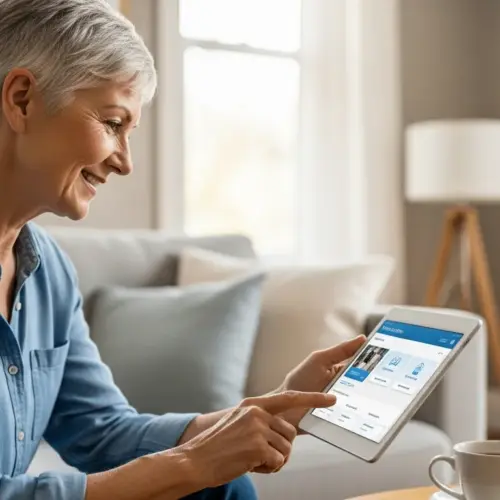

In today’s digital age, reading is no longer confined to physical books. E-readers for seniors offer a convenient and accessible way to enjoy books in a digital format. These devices provide numerous benefits, making them an excellent choice for older adults who love to read.
This article will explore the advantages of e-readers, guide you in selecting the right one, and provide tips on setting it up and managing your e-book library. We’ll also cover accessibility settings to ensure a comfortable and enjoyable reading experience for everyone.
Whether you’re a seasoned tech user or new to digital devices, this guide will help you discover how e-readers can enhance your reading habits. Embrace the world of large print ebooks and discover the joy of reading with e-readers for seniors.
Why E-Readers are a Great Choice for Seniors
E-readers offer a multitude of advantages for seniors, making them a popular alternative to traditional books. One of the primary benefits is the adjustable font size, which allows readers to customize the text to their visual needs.
This feature is especially helpful for those with age-related macular degeneration or other vision impairments. With e-readers, there’s no need to strain your eyes or rely on bulky large print editions.
Another significant advantage is the portability of e-readers. Imagine carrying an entire library in a device that weighs just a few ounces.
This is particularly beneficial for seniors who enjoy traveling or have limited storage space at home. E-readers eliminate the need to lug heavy books around, making reading on the go much easier.
Many e-readers come with built-in dictionaries, which can be incredibly useful for seniors. Encountering an unfamiliar word is no longer a problem, as you can simply tap the word to see its definition.

This feature enhances comprehension and expands vocabulary without the need to reach for a separate dictionary. The kindle for seniors, for example, is known for its user-friendly interface and integrated dictionary.
E-readers also offer access to a vast selection of ebooks, often at lower prices than physical books. You can easily download new titles from the comfort of your home, eliminating trips to the bookstore.
This convenience is especially appealing to seniors with mobility issues or those who live in remote areas. The ability to access a wide range of books at any time is a significant advantage.
Beyond adjustable font sizes, e-readers often provide options for changing the font style itself. Some fonts are specifically designed for improved readability, which can further reduce eye strain.
The ability to adjust the screen brightness is another key benefit. Seniors can dim the screen in low-light conditions to prevent glare and eye fatigue.
E-readers promote independence by allowing seniors to read comfortably without relying on others for assistance. They can enjoy their favorite books on their own terms, at their own pace.
The lightweight design of most e-readers makes them easy to hold for extended periods. This is a significant advantage over heavy hardcover books, which can be difficult to manage for those with arthritis or limited hand strength.
E-readers can also help seniors stay mentally stimulated. Reading is a great way to keep the mind active and engaged, which can help to slow cognitive decline.
The instant access to countless books encourages a continuous learning and exploration of new ideas. This can lead to a greater sense of fulfillment and purpose.
Many e-readers offer the ability to highlight text and take notes. This can be useful for seniors who enjoy studying or want to remember key passages from their books.
These features can also enhance the reading experience by allowing for a more interactive and engaging approach. The ability to easily look up definitions and research topics further enriches the learning process.
Choosing the Right E-Reader for Your Needs
Selecting the best e-reader involves considering several factors to ensure it meets your specific needs. One of the most important aspects is screen size and clarity.
A larger screen can make reading more comfortable, especially for those with visual impairments. Look for e-readers with high-resolution displays that offer sharp and clear text.
Consider the weight and ergonomics of the e-reader. A lightweight device is easier to hold for extended periods, reducing strain on your hands and wrists.
Ergonomic designs with comfortable grips can also enhance the reading experience. The kindle for seniors often features lightweight designs and easy-to-hold shapes.
Battery life is another crucial factor to consider. Choose an e-reader with a long battery life so you can enjoy uninterrupted reading sessions without frequent charging.
Some e-readers can last for weeks on a single charge, making them ideal for travel or extended use. Check the manufacturer’s specifications for battery life estimates.
| Feature | Kindle Paperwhite | Kobo Clara HD | Nook GlowLight 4 |
|---|---|---|---|
| Screen Size | 6.8 inches | 6 inches | 6 inches |
| Weight | 7.23 ounces | 6.0 ounces | 6.5 ounces |
| Battery Life | Up to 10 weeks | Weeks | Up to 4 weeks |
| Storage | 8 GB | 8 GB | 32 GB |
Evaluate the user interface and ease of navigation. A simple and intuitive interface is essential for seniors who may not be tech-savvy.
Look for e-readers with clear menus, large icons, and easy-to-understand instructions. The goal is to make the device as user-friendly as possible.
Touchscreen responsiveness is another important consideration. A responsive touchscreen ensures that taps and swipes are registered accurately and quickly.
This can be especially important for seniors with dexterity issues. Look for e-readers with a highly sensitive and accurate touchscreen.
Consider the availability of customer support. If you encounter any issues with your e-reader, it’s important to have access to reliable customer support.
Check if the manufacturer offers phone support, email support, or online chat. Some manufacturers also have extensive online knowledge bases with answers to common questions.
Evaluate the e-reader’s compatibility with different file formats. Most e-readers support common formats like EPUB and PDF, but some may not support all formats.
If you have a large collection of ebooks in a specific format, make sure the e-reader you choose is compatible. This will prevent you from having to convert your ebooks to a different format.
Think about whether you want an e-reader with or without ads. Some e-readers are offered at a lower price with “special offers,” which are essentially ads that appear on the lock screen.
If you find these ads distracting, you can opt for an e-reader without special offers, although it will typically cost more. Consider your personal preferences and budget when making this decision.
Consider whether you want an e-reader with physical buttons. While most e-readers rely on touchscreens, some models also include physical buttons for turning pages.
These buttons can be easier to use for some seniors, especially those with limited dexterity. They can also provide a more tactile and satisfying reading experience.
Setting Up Your E-Reader and Downloading Books
Setting up your new e-reader is typically a straightforward process. Most devices come with a quick start guide that walks you through the initial steps.
Start by charging the device fully before turning it on. Once charged, power on the e-reader and follow the on-screen prompts to connect to your Wi-Fi network.
You’ll then need to create an account or sign in with an existing one, depending on the brand of e-reader. This account allows you to purchase and download ebooks from the device’s store.
For kindle for seniors, you’ll need an Amazon account. For Kobo e-readers, you’ll need a Kobo account. The process is similar for other brands.
Downloading books is usually as simple as browsing the e-reader’s store and selecting the titles you want. You can search for specific books or browse by genre, author, or bestseller lists.
Once you find a book you like, you can often read a sample before purchasing it. If you decide to buy the book, simply click the purchase button and the ebook will be downloaded to your device.
Many e-readers also support library lending, allowing you to borrow ebooks from your local library for free. You’ll need to have a library card and use an app like Libby or OverDrive to access library ebooks.
These apps allow you to search for and borrow ebooks, which can then be read on your e-reader. This is a great way to save money and discover new authors.
Before connecting to Wi-Fi, ensure you have your network password readily available. Writing it down beforehand can save time and frustration during the setup process.
If you’re having trouble connecting to Wi-Fi, try moving closer to your router. A weak Wi-Fi signal can sometimes prevent the e-reader from connecting.
When creating an account, choose a strong password that you can easily remember. Consider using a password manager to store your login credentials securely.
Take advantage of the free ebooks that are often offered when you first set up your e-reader. This is a great way to start building your library without spending any money.
Explore the different browsing options in the e-reader’s store. Many stores have curated collections based on themes, holidays, or popular authors.
Utilize the search filters to narrow down your results. You can filter by genre, author, publication date, and other criteria.
If you’re borrowing ebooks from the library, make sure you understand the lending period. Ebooks typically expire after a certain number of days, after which they will automatically be returned to the library.
Set a reminder to return the ebooks before they expire to avoid late fees. You can usually renew the ebooks if no one else is waiting for them.
Adjusting Font Size and Other Accessibility Settings
One of the most significant benefits of e-readers is the ability to customize the reading experience to your preferences. Adjusting the font size is crucial for seniors with visual impairments.
Most e-readers allow you to increase or decrease the font size with just a few taps. Experiment with different sizes to find what’s most comfortable for your eyes.
In addition to font size, you can often adjust the font style. Some e-readers offer a variety of fonts, including those specifically designed for readability, such as OpenDyslexic.
Try different fonts to see which one you find easiest to read. You may also be able to adjust the font weight, making the text bolder or lighter.
Adjusting the screen brightness is another way to enhance your reading experience. Lowering the brightness can reduce eye strain, especially when reading in low-light conditions.
Many e-readers also offer a blue light filter, which reduces the amount of blue light emitted by the screen. Blue light can interfere with sleep, so using this feature in the evening can help improve your sleep quality.
Explore the accessibility settings on your e-reader to discover other helpful features. Some devices offer text-to-speech functionality, which reads the text aloud.
This can be particularly useful for seniors with severe visual impairments or those who prefer to listen to books. Other accessibility settings may include adjustable margins, line spacing, and contrast.
Experiment with different contrast settings to find what works best for your eyes. Some e-readers offer a dark mode, which reverses the colors on the screen, making the background black and the text white.
This can be easier on the eyes in low-light conditions. Try different combinations of font size, font style, brightness, and contrast to create a personalized reading experience.
If you have trouble reading small print, consider using a magnifying glass in conjunction with your e-reader. This can provide an extra level of magnification for those with severe visual impairments.
Some e-readers also offer the ability to zoom in on specific parts of the screen. This can be useful for viewing images or diagrams in greater detail.
Take advantage of the text-to-speech feature to listen to books while you’re doing other activities. This can be a great way to enjoy books while you’re cooking, cleaning, or exercising.
Adjust the reading speed of the text-to-speech feature to your liking. Some e-readers allow you to slow down or speed up the reading speed.
Explore the different navigation options on your e-reader. Most e-readers allow you to navigate through a book using the table of contents, bookmarks, or page numbers.
Learn how to use these features to quickly find the information you’re looking for. Bookmarking important passages can help you easily refer back to them later.
Navigating E-Book Stores
E-book stores are the primary source for downloading digital books onto your e-reader. Each e-reader brand typically has its own store, such as the Kindle Store for Amazon devices and the Kobo Store for Kobo devices.
These stores offer a vast selection of titles, ranging from bestsellers to classics, and often include large print ebooks. Navigating these stores is usually straightforward, with search functions and browsing options to help you find what you’re looking for.
When browsing an e-book store, you can typically search for books by title, author, or keyword. Many stores also have curated collections and recommendations based on your reading history.
This can be a great way to discover new authors and genres. Look for sections specifically dedicated to large print ebooks to easily find books with larger font sizes.
Before purchasing a book, take advantage of the sample feature. Most e-book stores allow you to download a free sample of the book, so you can read a few chapters before committing to the purchase.
This is a great way to ensure that the book is to your liking and that the font size is comfortable for your eyes. Pay attention to customer reviews as well, as they can provide valuable insights into the quality of the book and the reading experience.
Keep an eye out for deals and discounts. E-book stores often run promotions, offering books at reduced prices. You can also sign up for newsletters to receive notifications about new releases and special offers.
Some stores have loyalty programs that reward you with points or discounts for every purchase. These can add up over time and save you money on your reading habits.
Familiarize yourself with the store’s return policy. Most e-book stores allow you to return a book within a certain period if you’re not satisfied with it.
Make sure you understand the terms and conditions of the return policy before making a purchase. This can protect you from wasting money on books that you don’t enjoy.
Explore the different categories and genres available in the e-book store. Many stores have a wide variety of categories, including fiction, non-fiction, mystery, thriller, romance, and science fiction.
This can help you discover new genres that you might not have considered before. Don’t be afraid to step outside of your comfort zone and try something new.
Utilize the wish list feature to save books that you’re interested in reading later. This can help you keep track of books that you want to purchase when they go on sale or when you have more time to read them.
Share your reading recommendations with friends and family. E-book stores often have features that allow you to share books that you’ve enjoyed with others.
This can be a great way to connect with others and discover new books that you might not have found on your own. Consider joining online book clubs or forums to discuss your favorite books with other readers.
Managing Your E-Book Library
As you accumulate more ebooks, it’s important to organize your library for easy access. Most e-readers offer tools for managing your collection, such as creating folders or collections.
You can sort your books by genre, author, or reading status (e.g., “to read,” “currently reading,” “finished”). This helps you quickly find the book you’re looking for.
- Create collections by genre
- Sort books alphabetically by author
- Use tags to mark reading status
- Utilize the search function for quick access
- Regularly delete finished books to save space
Consider using cloud storage to back up your e-book library. Many e-readers automatically sync your books to the cloud, ensuring that you won’t lose your collection if your device is lost or damaged.
You can also manually back up your ebooks to a computer or external hard drive. This provides an extra layer of security for your digital library.
Establish a consistent naming convention for your ebook files. This will make it easier to find and organize your books, especially if you’re managing them on a computer.
Consider using a dedicated ebook management software like Calibre. This software allows you to organize, convert, and manage your ebook library across multiple devices.
Regularly review your ebook library and delete books that you no longer want to keep. This will free up storage space on your e-reader and make it easier to find the books that you’re actually interested in reading.
Create a reading list to keep track of books that you want to read in the future. This can help you stay organized and motivated to read more.
Utilize the search function on your e-reader to quickly find specific books. This can save you time and effort when you’re looking for a particular title.
Sync your e-reader with your other devices to access your ebook library from anywhere. This allows you to continue reading your books on your smartphone, tablet, or computer.
Troubleshooting Common E-Reader Issues
Like any electronic device, e-readers can occasionally encounter technical issues. Knowing how to troubleshoot common problems can save you time and frustration.
One of the most common issues is a frozen screen. If your e-reader becomes unresponsive, try performing a hard reset.
This usually involves holding down the power button for an extended period (e.g., 20-30 seconds) until the device restarts. Consult your e-reader’s manual for specific instructions.
If you’re having trouble connecting to Wi-Fi, make sure your network is working properly and that you’ve entered the correct password. Try restarting your e-reader and your router.
Another common issue is difficulty downloading books. Ensure that you have enough storage space on your device and that you’re connected to a stable Wi-Fi network. Try clearing the cache in your e-reader’s settings.
If you’re experiencing problems with font size or other accessibility settings, double-check that you’ve saved your changes. Sometimes, settings can revert to default if they’re not properly saved.
If you’re still having trouble, consult your e-reader’s user manual or visit the manufacturer’s website for support. Many manufacturers offer online troubleshooting guides and customer service assistance.
Consider joining online forums or communities dedicated to e-readers. These forums can be a valuable resource for finding solutions to common problems and getting advice from other users.
Check for software updates regularly. Manufacturers often release updates to fix bugs and improve performance. Make sure your e-reader is running the latest version of the software.
If your e-reader is running slowly, try closing any unnecessary apps or processes. This can free up memory and improve performance.
Avoid exposing your e-reader to extreme temperatures or humidity. These conditions can damage the device and shorten its lifespan.
Protect your e-reader from scratches and impacts by using a protective case. This can help prevent damage to the screen and other components.
If you’re having trouble with the touchscreen, try cleaning it with a soft, dry cloth. Dirt and fingerprints can sometimes interfere with the touchscreen’s sensitivity.
If you’re still experiencing problems, try recalibrating the touchscreen in your e-reader’s settings. This can improve the accuracy of the touchscreen.
Conclusion
E-readers for seniors offer a fantastic way to enjoy books in a digital format, providing numerous benefits that enhance the reading experience. From adjustable font sizes to portability and access to a vast library of ebooks, these devices cater specifically to the needs of older adults.
By choosing the right e-reader, setting it up properly, and utilizing accessibility settings, seniors can continue to indulge in their love of reading comfortably and conveniently. Embrace the world of large print ebooks and discover the joy of reading with e-readers for seniors.
The ease of use and accessibility features make e-readers a valuable tool for maintaining cognitive health and promoting independence. They offer a gateway to endless stories and knowledge, enriching the lives of seniors in countless ways.