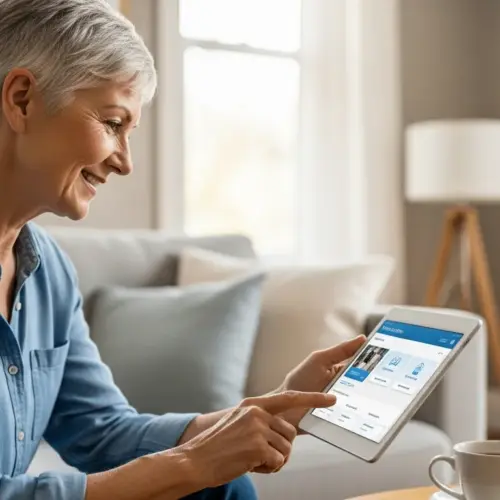

In today’s fast-paced world, staying connected and managing finances efficiently is more important than ever, especially for seniors. Mobile banking offers a convenient solution, allowing you to handle your banking needs from the comfort of your own home or while on the go.
This guide will walk you through the essentials of mobile banking for seniors, from understanding its benefits to staying safe while using banking apps. Let’s get started and explore how mobile banking can simplify your financial life.
With the right knowledge and precautions, you can confidently embrace this technology and enjoy the freedom and flexibility it provides. We’ll cover everything from choosing the right app to setting up your account and making secure transactions.
Benefits of Mobile Banking
Mobile banking offers numerous advantages that can make managing your finances easier and more convenient. For seniors, these benefits can be particularly impactful, providing greater control and accessibility.
One of the primary benefits is convenience, as you can access your accounts anytime, anywhere, using your smartphone or tablet. No more rushing to the bank during business hours or waiting in long lines.
Mobile banking also saves time by allowing you to perform tasks such as checking balances, transferring funds, and paying bills without leaving your home. This can be especially helpful for seniors with mobility issues or those who live in areas with limited access to bank branches.
Many banking apps offer real-time transaction monitoring and alerts, helping you stay informed about your account activity and detect any suspicious transactions promptly. This added security can provide peace of mind and help protect you from fraud.
Beyond the core functionalities, mobile banking can also improve financial literacy. Many apps provide tools and resources to help you track your spending, set budgets, and monitor your financial health.

The ability to easily monitor your accounts in real-time can help you identify areas where you can save money or adjust your spending habits. This proactive approach to financial management can lead to greater financial stability and peace of mind.
Another significant benefit is the reduced reliance on paper statements and checks. This not only helps the environment but also reduces the risk of losing important financial documents.
Digital statements are easily accessible through the app, and you can often download them for your records. This simplifies record-keeping and makes it easier to track your financial history.
Furthermore, mobile banking can facilitate easier communication with your bank. Many apps offer direct messaging features or quick access to customer service, allowing you to resolve issues or ask questions without having to visit a branch or make a phone call.
This can be particularly beneficial for seniors who may have difficulty hearing or communicating over the phone. The ability to communicate in writing can make it easier to understand and resolve any issues.
Finally, mobile banking can empower seniors to maintain their independence and manage their finances on their own terms. This can be especially important for those who value their autonomy and want to remain in control of their financial affairs.
By providing easy access to their accounts and financial information, mobile banking can help seniors stay informed and make informed decisions about their money. This can lead to greater financial security and peace of mind.
Choosing a Mobile Banking App
Selecting the right mobile banking app is crucial for a positive and secure experience. Consider several factors to ensure the app meets your specific needs and preferences.
First, check if your bank offers a mobile app and whether it is compatible with your device’s operating system, such as iOS or Android. Read reviews from other users to get an idea of the app’s usability and reliability.
Look for apps with user-friendly interfaces, clear navigation, and large, easy-to-read fonts. A simple and intuitive design can make a big difference, especially for seniors who may be less familiar with technology.
Prioritize apps that offer robust security features, such as multi-factor authentication, biometric login (fingerprint or facial recognition), and encryption. These measures help protect your account from unauthorized access and fraud.
Beyond the basic requirements, consider the specific features that are most important to you. Do you need the ability to deposit checks remotely, transfer funds to other accounts, or pay bills online?
Make a list of the features you need and compare the offerings of different apps to find the one that best meets your needs. Some apps may also offer additional features, such as budgeting tools or investment options.
It’s also important to consider the app’s accessibility features. Does it offer support for screen readers or other assistive technologies? Can you adjust the font size or color contrast to improve readability?
These features can make a big difference for seniors with visual impairments or other disabilities. Check the app’s settings or documentation to see what accessibility options are available.
Another factor to consider is the app’s customer support. Does the bank offer phone support, email support, or online chat? How responsive and helpful is their customer service team?
Read reviews from other users to get an idea of the quality of the bank’s customer support. It’s important to know that you can get help if you encounter any problems with the app.
Finally, don’t be afraid to try out a few different apps before making a final decision. Many banks offer demo versions of their mobile banking apps that you can use to get a feel for the interface and features.
Download a few different apps and spend some time exploring them. See which one feels the most comfortable and intuitive to you. You can always uninstall the apps you don’t like.
Setting Up Your Mobile Banking Account
Once you’ve chosen a mobile banking app, the next step is to set up your account. This process typically involves downloading the app, enrolling your account, and creating a secure login.
Download the app from the official app store (Apple App Store or Google Play Store) to avoid downloading fake or malicious apps. After installing the app, open it and look for an option to enroll or register for mobile banking.
| Bank Name | App Name | User Rating |
|---|---|---|
| Chase | Chase Mobile | 4.8 stars |
| Bank of America | Bank of America Mobile Banking | 4.7 stars |
| Wells Fargo | Wells Fargo Mobile | 4.6 stars |
| Citibank | Citi Mobile | 4.5 stars |
You’ll usually need to provide your account number, Social Security number, and other personal information to verify your identity. Create a strong password that is difficult to guess, using a combination of uppercase and lowercase letters, numbers, and symbols.
During the enrollment process, you may be asked to choose a username and password. Select a username that is easy to remember but not too obvious. As mentioned earlier, create a strong password that is difficult to guess.
Many banks now offer multi-factor authentication, which adds an extra layer of security to your account. This typically involves receiving a code via text message or email that you need to enter in addition to your password.
It’s highly recommended that you enable multi-factor authentication to protect your account from unauthorized access. This can help prevent fraud even if someone manages to guess your password.
Once you’ve completed the enrollment process, take some time to familiarize yourself with the app’s interface and features. Explore the different options and settings to get a feel for how everything works.
Many apps offer tutorials or help guides that can walk you through the basics. Don’t hesitate to consult these resources if you’re unsure about anything.
If you’re having trouble setting up your account, don’t be afraid to contact your bank’s customer support for assistance. They can walk you through the process step-by-step and answer any questions you may have.
Remember to keep your username and password in a safe place and never share them with anyone. Be wary of phishing emails or phone calls that ask you to provide your login credentials.
Your bank will never ask you for your password via email or phone. If you receive such a request, it’s likely a scam.
Making Deposits and Transfers
Mobile banking makes it easy to deposit checks and transfer funds between accounts. These features can save you time and effort, especially if you have limited mobility.
To deposit a check, simply open the mobile banking app, select the “deposit” option, and follow the instructions. You’ll typically need to take a picture of the front and back of the check using your smartphone’s camera.
Make sure the check is properly endorsed with your signature and “For Mobile Deposit Only.” The app will guide you through the process, and you’ll receive a confirmation once the deposit is submitted.
Transferring funds between your accounts is equally straightforward. Select the “transfer” option, choose the accounts you want to transfer from and to, enter the amount, and confirm the transaction.
When depositing a check, ensure that the lighting is good and the image is clear. A blurry or poorly lit image can result in the check being rejected.
Also, be sure to keep the physical check until the deposit has been fully processed and the funds are available in your account. This can take a few business days.
When transferring funds, double-check the account numbers and amounts to ensure that the money is going to the right place. A simple mistake can result in the funds being sent to the wrong account.
Many apps allow you to schedule transfers for a future date. This can be useful for setting up recurring transfers or for making sure that you have enough money in your account to cover upcoming bills.
Be aware of any transfer limits that may apply to your account. Some banks limit the amount of money you can transfer per day or per month.
If you need to transfer a large sum of money, you may need to contact your bank to make special arrangements. They may require additional documentation or verification.
Always review your account activity regularly to ensure that all deposits and transfers have been processed correctly. If you notice any discrepancies, contact your bank immediately.
Mobile banking apps provide a convenient way to manage your money, but it’s important to use them responsibly and to take precautions to protect your account from fraud.
Paying Bills Online
Paying bills online through your mobile banking app can streamline your monthly payments and reduce the risk of late fees. Most apps offer a bill pay feature that allows you to schedule payments and track your payment history.
To set up bill payments, add the companies or individuals you want to pay as payees. You’ll need to provide their name, address, and account number.
- Set up recurring payments for fixed expenses
- Review payment history regularly
- Enable notifications for payment confirmations
- Double-check payee information before sending
- Keep payee list updated
Once you’ve added your payees, you can schedule payments for specific dates or set up recurring payments for fixed expenses like rent or utilities. Always double-check the payment amount and date before submitting to avoid errors.
When adding a payee, double-check the account number and other information to ensure that the payment is going to the correct recipient. A typo can result in the payment being sent to the wrong account.
Set up payment reminders to ensure that you don’t miss any due dates. Many apps allow you to receive notifications via email or text message when a bill is due.
Consider setting up autopay for recurring bills to avoid late fees and simplify your monthly payments. This will automatically pay your bills on the due date, ensuring that you never miss a payment.
Review your payment history regularly to ensure that all payments have been processed correctly. If you notice any discrepancies, contact your bank or the payee immediately.
Be aware of any payment processing times. Some payments may take a few business days to be processed, so it’s important to schedule your payments in advance of the due date.
Keep your payee list updated. If you no longer need to pay a particular payee, remove them from your list to avoid accidental payments.
Be cautious of phishing emails or phone calls that ask you to provide your bill payment information. Your bank will never ask you for this information via email or phone.
Paying bills online through your mobile banking app is a convenient and efficient way to manage your finances, but it’s important to use it responsibly and to take precautions to protect your account from fraud.
Staying Safe While Mobile Banking
Security is paramount when it comes to mobile banking. There are several steps you can take to protect your account and personal information from fraud and cyber threats.
Always use a strong, unique password for your mobile banking account and avoid using the same password for multiple accounts. Enable multi-factor authentication, which requires a second form of verification, such as a code sent to your phone, in addition to your password.
Be cautious when using public Wi-Fi networks, as they are often unsecured and can be vulnerable to hacking. Avoid conducting financial transactions on public Wi-Fi, and instead, use your mobile data or a secure, private network.
Regularly monitor your account activity for any unauthorized transactions or suspicious activity. If you notice anything unusual, contact your bank immediately to report the issue.
Keep your mobile device’s operating system and apps up to date. Software updates often include security patches that can protect your device from vulnerabilities.
Install a reputable antivirus app on your mobile device to protect it from malware and other threats. This can help prevent hackers from accessing your personal information.
Be wary of phishing emails, text messages, or phone calls that ask you to provide your personal or financial information. Your bank will never ask you for this information via email or phone.
Never click on links or download attachments from unknown sources. These could contain malware or viruses that can compromise your device.
Enable biometric login (fingerprint or facial recognition) if your device supports it. This adds an extra layer of security to your account and makes it more difficult for unauthorized users to access your information.
Set a strong passcode or PIN on your mobile device to prevent unauthorized access. This will protect your device if it is lost or stolen.
Report any lost or stolen mobile devices to your bank immediately. They can disable your mobile banking access to prevent unauthorized transactions.
Review your mobile banking app’s security settings regularly to ensure that they are configured to your liking. You can often customize the app’s security settings to meet your specific needs.
Conclusion
Mobile banking offers seniors a convenient and efficient way to manage their finances, providing greater control and accessibility. By understanding the benefits, choosing the right app, and taking necessary security precautions, you can confidently embrace this technology.
Remember to stay informed about the latest security threats and best practices to protect your account and personal information. With the right approach, mobile banking can simplify your financial life and provide peace of mind.
Embrace the convenience of mobile banking, but always prioritize security. By following the tips outlined in this guide, you can enjoy the benefits of mobile banking without putting your financial security at risk.
Mobile banking is a powerful tool that can empower seniors to take control of their finances and live more independent lives. With a little bit of knowledge and caution, you can safely and confidently embrace this technology.