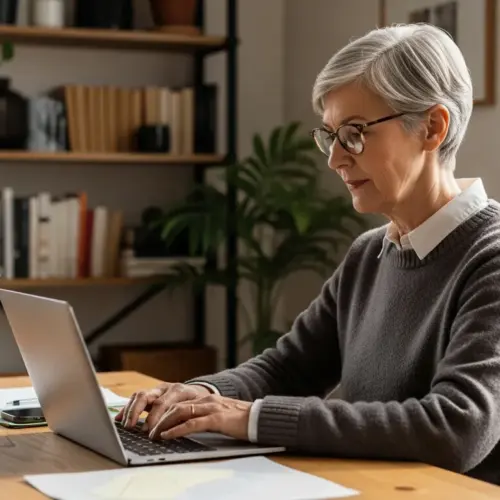

In today’s digital age, computer skills are more important than ever. This is especially true for seniors, who can benefit greatly from learning how to use computers and the internet.
Whether it’s staying in touch with loved ones, managing finances, or pursuing hobbies, technology offers many opportunities. However, many seniors face a digital divide, lacking the skills and confidence to navigate the online world.
That’s where senior computer classes come in. These classes provide a supportive and accessible environment for older adults to learn essential computer skills, bridging the digital gap and empowering them to participate more fully in modern society.
The Importance of Computer Skills for Seniors
The ability to use a computer and access the internet has become increasingly essential for daily life. For seniors, these skills can significantly enhance their independence and quality of life.
One of the most significant benefits is improved communication with family and friends. Email, video calls, and social media platforms allow seniors to stay connected with loved ones who may live far away, reducing feelings of isolation and loneliness.
Online banking and bill payment can simplify financial management. Seniors can easily monitor their accounts, pay bills, and manage their investments from the comfort of their own homes, reducing the need for physical trips to the bank.
Access to online health information and telehealth services is another crucial advantage. Seniors can research health conditions, find reliable medical information, and even consult with doctors remotely, improving their access to healthcare.
Beyond simple communication, computer skills open doors to a world of information and entertainment. Seniors can access news, educational resources, and cultural content from around the globe, enriching their lives and expanding their horizons.

Online shopping provides convenience and access to a wider range of products and services. Seniors can compare prices, read reviews, and make purchases from the comfort of their homes, saving time and effort.
Furthermore, learning computer skills can boost seniors’ cognitive abilities and mental well-being. Engaging with technology can stimulate the brain, improve memory, and enhance problem-solving skills.
The sense of accomplishment and empowerment that comes with mastering new skills can also boost self-esteem and confidence. This newfound confidence can translate into other areas of life, leading to increased social engagement and overall well-being.
In an increasingly digital world, computer literacy is no longer a luxury but a necessity. By acquiring these skills, seniors can maintain their independence, stay connected, and continue to participate fully in society.
Ignoring the digital world means missing out on countless opportunities for connection, learning, and personal growth. Senior computer classes provide a vital bridge to this world, empowering older adults to thrive in the 21st century.
Ultimately, the importance of computer skills for seniors cannot be overstated. It’s an investment in their well-being, independence, and continued engagement with the world around them.
Finding Computer Classes Near You
Many resources are available for seniors looking to learn computer skills. Finding the right senior computer classes can be easier than you think.
Local community centers often offer computer classes specifically designed for seniors. These classes are usually affordable and provide a supportive learning environment tailored to the needs of older adults.
Senior centers are another great place to look for computer training. They often have dedicated computer labs and offer a variety of elderly computer lessons taught by patient and experienced instructors.
Public libraries are also valuable resources, offering free computer classes and workshops for people of all ages. Check your local library’s website or visit in person to find out about upcoming senior technology courses.
Many non-profit organizations also offer computer training programs for seniors. These programs are often free or low-cost and are designed to help seniors develop essential computer skills.
Consider checking with local colleges and universities. Some offer continuing education courses specifically tailored to seniors, which may include computer skills training.
Online search engines can also be helpful in finding computer classes near you. Use keywords such as “senior computer classes near me” or “computer training for seniors” to find local resources.
Don’t be afraid to ask for recommendations from friends, family, or neighbors. They may know of local resources that you haven’t considered.
When researching different classes, consider factors such as the class size, the instructor’s experience, and the topics covered. Choose a class that meets your specific needs and learning style.
It’s also important to consider the location and accessibility of the class. Choose a location that is convenient and easy to get to, and ensure that the classroom is accessible for seniors with mobility issues.
Some classes may offer transportation assistance or home visits for seniors who are unable to travel. Be sure to inquire about these services when researching different options.
Taking the time to research and compare different options can help you find the perfect computer class to meet your needs. With a little effort, you can find a supportive and accessible learning environment where you can develop essential computer skills.
Topics Covered in Senior Computer Classes
Senior computer classes typically cover a range of topics designed to build essential skills. The curriculum is often tailored to meet the specific needs and interests of older adults.
Classes often start with the basics, such as understanding computer hardware and software. Students learn about the different parts of a computer, how to use a mouse and keyboard, and how to navigate the operating system.
| Topic | Description | Benefits |
|---|---|---|
| Basic Computer Skills | Hardware, software, mouse, keyboard | Foundation for all other skills |
| Internet Navigation | Browsing, searching, online safety | Access to information and services |
| Email Communication | Sending, receiving, managing emails | Staying connected with family and friends |
| Social Media | Facebook, Twitter, Instagram | Social interaction and engagement |
| Online Security | Protecting personal information, avoiding scams | Safe online experience |
Internet navigation is another key topic, teaching seniors how to browse the web, use search engines, and evaluate online information. They also learn about online safety and how to protect themselves from scams and malware.
Email communication is also a common focus, teaching seniors how to send and receive emails, manage their inbox, and avoid spam. This skill is essential for staying in touch with family and friends and for accessing online services.
Many classes also cover social media platforms like Facebook, Twitter, and Instagram. Seniors learn how to create profiles, connect with friends and family, and share updates and photos.
Online banking and bill payment are often included in the curriculum. Seniors learn how to manage their finances online safely and securely, reducing the need for physical trips to the bank.
Some classes may also cover topics such as word processing, spreadsheet software, and presentation software. These skills can be useful for creating documents, managing data, and giving presentations.
Digital photography and image editing are also popular topics. Seniors learn how to take photos, edit them on their computers, and share them with others.
The specific topics covered in a senior computer class will vary depending on the class’s focus and the students’ needs. However, the goal is always to provide seniors with the essential skills they need to navigate the digital world with confidence and ease.
Classes often incorporate hands-on activities and real-world examples to make the learning process more engaging and relevant. Instructors are typically patient and understanding, providing individualized support to help seniors succeed.
It is common for courses to offer different levels, ranging from beginner to advanced. This allows seniors to learn at their own pace and build their skills gradually.
Tips for Learning Computer Skills
Learning computer skills can be challenging, but it’s also incredibly rewarding. Here are some tips to help seniors succeed in their computer classes and beyond.
First, be patient with yourself and remember that everyone learns at their own pace. Don’t get discouraged if you don’t understand something right away; ask questions and seek help from your instructor or classmates.
Practice regularly to reinforce what you’ve learned. Set aside time each day or week to work on your computer skills, even if it’s just for a few minutes.
Find a learning style that works best for you. Some people prefer hands-on practice, while others learn better by reading tutorials or watching videos.
Don’t be afraid to experiment and try new things. The best way to learn is by doing, so don’t worry about making mistakes.
Break down complex tasks into smaller, more manageable steps. This will make the learning process less overwhelming and more achievable.
Take advantage of online resources, such as tutorials, videos, and forums. There are many free resources available that can help you learn computer skills.
Find a study buddy or join a computer club. Learning with others can be more fun and motivating, and you can support each other along the way.
Set realistic goals and celebrate your accomplishments. This will help you stay motivated and focused on your learning journey.
Remember to take breaks and avoid getting overwhelmed. Learning computer skills should be enjoyable, so don’t push yourself too hard.
Consider investing in a good quality computer and peripherals. A comfortable keyboard, mouse, and monitor can make a big difference in your learning experience.
Most importantly, have fun and enjoy the process of learning new skills. Technology can open up a world of opportunities, so embrace the challenge and enjoy the journey.
Using Technology to Stay Connected
One of the most significant advantages of learning computer skills is the ability to stay connected with loved ones. Technology offers a variety of tools and platforms that make it easier than ever to communicate and share experiences.
Email remains a popular way to exchange messages and photos with family and friends. It’s a simple and convenient way to stay in touch, especially for those who live far away.
- Email for quick messages
- Video calls for face-to-face conversations
- Social media for sharing updates and photos
- Online forums for connecting with like-minded people
- Messaging apps for instant communication
Video conferencing platforms like Zoom and Skype allow for face-to-face conversations, no matter where you are. These platforms are especially valuable for seniors who may not be able to travel easily, allowing them to participate in family gatherings and stay connected with grandchildren.
Social media platforms like Facebook and Instagram provide opportunities to share updates, photos, and videos with friends and family. Seniors can stay informed about what’s happening in their loved ones’ lives and share their own experiences.
Online messaging apps like WhatsApp and Messenger allow for instant communication with individuals and groups. These apps are particularly useful for quick updates and coordinating plans.
Online forums and communities provide opportunities to connect with people who share similar interests. Seniors can join groups dedicated to their hobbies, passions, or support needs, fostering a sense of belonging and shared purpose.
Creating and sharing digital photo albums and videos can be a wonderful way to preserve memories and share them with loved ones. Seniors can create slideshows, edit videos, and upload them to online platforms for easy sharing.
Participating in online games and virtual activities can also be a fun way to stay connected and engaged. Many online games offer opportunities for social interaction and collaboration.
Learning how to use technology to stay connected can significantly improve seniors’ social lives and overall well-being. It can help combat loneliness, foster new relationships, and provide opportunities for learning and engagement.
The ability to easily communicate with family and friends, regardless of distance, is a powerful tool for maintaining social connections. This is especially important for seniors who may have limited mobility or live far away from their loved ones.
The Social Benefits of Online Communication
Beyond staying connected with family and friends, online communication offers many social benefits for seniors. It can help combat social isolation, foster new relationships, and provide opportunities for learning and engagement.
Online communities and forums allow seniors to connect with people who share their interests and hobbies. Whether it’s gardening, book clubs, or travel, there are online groups for just about everything, providing a sense of belonging and shared purpose.
Social media platforms like Facebook and Twitter can also be valuable tools for social interaction. Seniors can join groups, follow organizations, and participate in discussions, staying informed and engaged with the world around them.
Online learning platforms offer a wide range of courses and workshops, allowing seniors to pursue their interests and learn new skills from the comfort of their own homes. This can be a great way to stay mentally active and engaged, as well as meet new people with similar interests.
Virtual volunteering opportunities allow seniors to contribute their skills and experience to worthwhile causes. This can provide a sense of purpose and fulfillment, as well as opportunities to connect with like-minded individuals.
Online support groups provide a safe and supportive environment for seniors to connect with others who are facing similar challenges. This can be particularly helpful for those dealing with health issues, grief, or other difficult life transitions.
Participating in online discussions and debates can help seniors stay mentally sharp and engaged. It can also provide opportunities to learn new perspectives and challenge their own assumptions.
Creating and sharing online content, such as blog posts, videos, or podcasts, can be a rewarding way for seniors to express their creativity and share their knowledge with the world.
Joining online book clubs or film clubs can provide opportunities for social interaction and intellectual stimulation. Seniors can discuss books, movies, and other cultural topics with others who share their interests.
Attending virtual events, such as concerts, lectures, and workshops, can provide opportunities for entertainment and learning. Seniors can enjoy these events from the comfort of their own homes, without having to worry about transportation or mobility issues.
The social benefits of online communication are numerous and far-reaching. By embracing technology, seniors can stay connected, engaged, and fulfilled, improving their overall quality of life.
Overcoming Challenges and Building Confidence
Learning computer skills can present challenges for seniors, but with the right approach, these obstacles can be overcome. Building confidence is key to mastering technology and enjoying its many benefits.
One common challenge is fear of making mistakes or breaking something. It’s important to remember that computers are designed to be user-friendly, and most problems can be easily fixed.
Another challenge is dealing with unfamiliar terminology and jargon. Don’t be afraid to ask for clarification or look up definitions online.
Start with the basics and gradually build your skills over time. Focus on mastering one skill before moving on to the next, and celebrate your progress along the way.
Practice regularly, even if it’s just for a few minutes each day. The more you practice, the more comfortable and confident you will become.
Find a supportive learning environment where you feel comfortable asking questions and making mistakes. Senior computer classes are often a great option because they provide a patient and understanding atmosphere.
Don’t compare yourself to others. Everyone learns at their own pace, so focus on your own progress and celebrate your achievements.
Break down complex tasks into smaller, more manageable steps. This will make the learning process less overwhelming and more achievable.
Seek out online resources, such as tutorials, videos, and forums. There are many free resources available that can help you learn computer skills and troubleshoot problems.
Ask for help from friends, family, or neighbors who are tech-savvy. They may be able to provide guidance and support.
Remember that it’s okay to make mistakes. Everyone makes mistakes when learning new skills, so don’t let them discourage you. Learn from your mistakes and keep practicing.
Assistive Technologies and Accessibility
Assistive technologies can play a crucial role in making computers more accessible for seniors with disabilities. These tools are designed to address a variety of challenges, from vision and hearing impairments to mobility issues.
Screen readers, for example, convert text to speech, allowing visually impaired users to access online content. Voice recognition software enables users to control their computers with voice commands, making it easier for those with mobility limitations.
Adjustable font sizes and screen contrast settings can also improve readability for seniors with vision problems. Keyboard shortcuts and alternative input devices can make it easier for those with arthritis or other hand-related conditions to use a computer.
Many operating systems and software programs have built-in accessibility features that can be customized to meet individual needs. Explore these options and don’t hesitate to seek assistance from assistive technology specialists or support groups.
Magnification software can enlarge portions of the screen, making it easier for seniors with low vision to see text and images. This is particularly helpful for reading small print or navigating complex websites.
Speech-to-text software allows seniors to dictate text instead of typing, which can be beneficial for those with arthritis or other hand-related conditions. This can also be helpful for seniors who have difficulty spelling or writing.
Alternative keyboards and mice can be customized to meet the specific needs of seniors with mobility limitations. These devices can be easier to use and more comfortable than standard keyboards and mice.
Head-tracking devices allow seniors to control their computers with head movements. This can be a valuable tool for those with severe mobility limitations.
Screen glare filters can reduce glare and improve visibility, making it easier for seniors with vision problems to use a computer. These filters can be particularly helpful in brightly lit environments.
Adjustable monitor stands can help seniors position their monitors at a comfortable viewing angle, reducing strain on their necks and eyes. This is particularly important for seniors who spend long periods of time using a computer.
By utilizing assistive technologies and accessibility features, seniors with disabilities can overcome challenges and enjoy the many benefits of using computers. It is important to explore these options and find the tools that work best for individual needs.
The Future of Technology for Seniors
The role of technology in the lives of seniors will only continue to grow in the years to come. As technology advances, it will offer even more opportunities for older adults to stay connected, engaged, and independent.
Smart home devices, for example, can help seniors manage their homes more efficiently and safely. These devices can automate tasks like turning on lights, adjusting the thermostat, and locking doors, providing added convenience and security.
Wearable technology, such as smartwatches and fitness trackers, can monitor seniors’ health and activity levels, providing valuable data for healthcare providers. These devices can also detect falls and alert emergency services, improving safety and peace of mind.
Artificial intelligence (AI) and machine learning are also poised to revolutionize the way seniors interact with technology. AI-powered virtual assistants can provide personalized support and companionship, helping seniors stay connected and engaged.
Telehealth services will become increasingly sophisticated, allowing seniors to receive medical care and monitor their health from the comfort of their own homes. This will be particularly beneficial for those who live in rural areas or have difficulty traveling.
Virtual reality (VR) and augmented reality (AR) technologies will offer new opportunities for seniors to experience the world and engage in activities that they may not be able to do in real life. This could include virtual travel, museum tours, and social events.
Robotics will play an increasingly important role in assisting seniors with daily tasks, such as cooking, cleaning, and personal care. This will help seniors maintain their independence and age in place.
Personalized learning platforms will provide seniors with customized educational experiences tailored to their individual interests and needs. This will allow them to continue learning and growing throughout their lives.
The development of age-friendly technology will be crucial in ensuring that seniors can easily access and use these new technologies. This will require a focus on simplicity, accessibility, and user-friendliness.
As technology continues to evolve, it will be essential to provide seniors with ongoing training and support. This will help them stay up-to-date with the latest advancements and maximize the benefits of technology.
The future of technology for seniors is bright. By embracing these advancements, seniors can live longer, healthier, and more fulfilling lives.
Conclusion
Senior computer classes are a valuable resource for older adults looking to bridge the digital divide. By learning essential computer skills, seniors can enhance their independence, stay connected with loved ones, and participate more fully in modern society.
Whether it’s finding computer classes for seniors near you, exploring assistive technologies, or embracing the social benefits of online communication, there are many ways for seniors to harness the power of technology. Embrace the opportunity to learn and grow, and discover the many ways that technology can enrich your life.
The digital world offers a wealth of opportunities for seniors to connect, learn, and thrive. By taking the first step and enrolling in a computer class, you can unlock a world of possibilities and enhance your quality of life.
Don’t let the digital divide hold you back. Embrace technology and discover the many ways it can enrich your life and empower you to stay connected, engaged, and independent.