

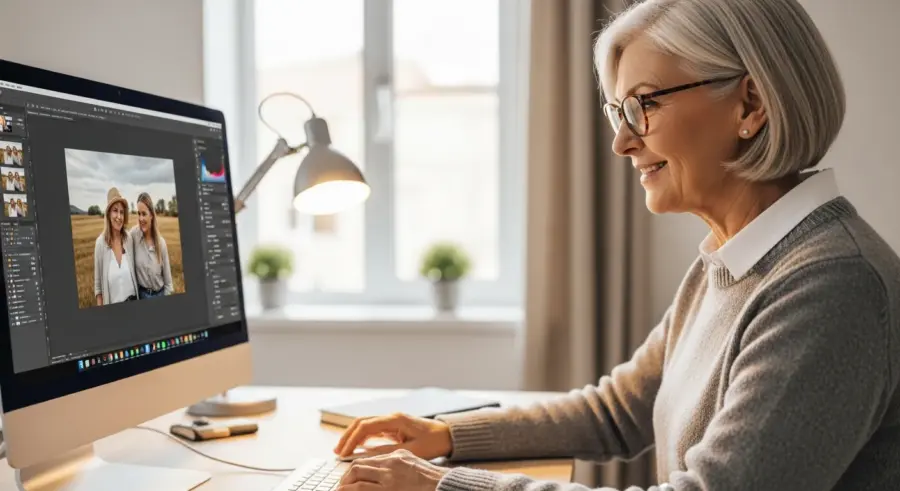
In today’s digital age, photography is more accessible than ever, especially for seniors looking to explore new hobbies. Senior digital photography editing groups offer a fantastic way to not only enhance your photos but also connect with like-minded individuals online.
These groups provide a supportive environment to learn new skills, share your creations, and receive valuable feedback. Whether you’re a seasoned photographer or just starting out, joining a senior digital photography editing group can open up a world of creative possibilities and social connections.
This article will guide you through the benefits of joining such a group, how to find one that suits your interests, and the basics of photo editing for seniors. We’ll also cover free and user-friendly software options and provide digital photography tips to improve your editing skills.
Why Digital Photography Editing is a Great Hobby for Seniors
Digital photography editing is an engaging and rewarding hobby that’s particularly well-suited for seniors. It provides a creative outlet, allowing you to transform ordinary photos into stunning works of art.
The process of enhancing images can be incredibly satisfying, as you learn to manipulate colors, adjust lighting, and add artistic effects. Moreover, it’s a hobby that can be enjoyed from the comfort of your own home, making it accessible regardless of mobility.
One of the key benefits of digital photography editing is its ability to stimulate cognitive function. Learning new software and techniques challenges your mind, helping to keep it sharp and engaged.
It also encourages problem-solving skills, as you experiment with different tools and settings to achieve the desired look. This mental stimulation can contribute to overall brain health and well-being for seniors.
Beyond the creative and cognitive benefits, digital photography editing can also offer a sense of accomplishment. Seeing the transformation of a simple snapshot into a polished image can be incredibly rewarding.

It allows seniors to document their lives, preserve memories, and share their unique perspectives with others. This can be especially meaningful for those who enjoy capturing family events, travels, or everyday moments.
Furthermore, digital photography editing can be a very affordable hobby. With the availability of free software and online resources, you don’t need to invest a lot of money to get started.
This makes it an accessible and budget-friendly option for seniors who are looking for a new and fulfilling pastime. It’s a hobby that can grow with you as you learn and improve your skills over time.
Benefits of Joining an Editing Group
Joining a senior digital photography editing group offers numerous advantages beyond just learning new skills. These groups provide a sense of community and belonging, connecting you with others who share your passion for photography.
This social interaction can combat feelings of loneliness and isolation, which are common concerns for seniors. Sharing your work and receiving feedback from peers can boost your confidence and self-esteem.
Editing groups often host online discussions, workshops, and challenges, creating opportunities for continuous learning and improvement. You can learn new techniques from experienced members, discover different editing styles, and stay up-to-date with the latest software and trends.
The collaborative environment of an editing group fosters creativity and inspiration. Seeing the work of others and participating in group projects can spark new ideas and push you to explore different aspects of photography.
Another significant benefit is the opportunity to receive constructive criticism in a supportive environment. Feedback from fellow photographers can help you identify areas for improvement and refine your editing skills.
This can be invaluable for seniors who are looking to take their photography to the next level. The shared learning experience can also make the process more enjoyable and less intimidating.
Moreover, editing groups often provide access to resources and tutorials that may not be readily available elsewhere. Members may share their favorite editing techniques, software tips, and online learning platforms.
This collaborative knowledge sharing can significantly accelerate your learning curve and help you master new skills more quickly. You’ll also gain exposure to different perspectives and approaches to photography, broadening your horizons and inspiring you to experiment.
Finding Online Editing Groups for Seniors
Finding the right online editing group for seniors requires a bit of research, but the effort is well worth it. Start by searching online platforms such as Facebook, Meetup, and specialized photography forums.
Look for groups specifically geared towards seniors or those that welcome members of all ages and skill levels. Consider the group’s focus and activities, such as themed challenges, tutorials, or critiques.
When searching for groups, pay attention to the group’s culture and moderation policies. A welcoming and supportive environment is crucial for seniors who are new to online communities.
Look for groups that have clear guidelines for respectful communication and constructive feedback. It’s also a good idea to read through some of the group’s posts and discussions to get a sense of the community’s dynamics.
Consider the group’s level of activity and engagement. A more active group will provide more opportunities for learning, sharing, and interacting with other members.
However, be mindful of the time commitment involved and choose a group that fits your schedule and preferences. Some groups may have daily challenges or weekly workshops, while others may be more casual and relaxed.
Don’t be afraid to try out a few different groups before settling on one that feels like the right fit. Most online groups allow you to join and leave at any time, so you can explore different options without any commitment.
Once you’ve found a group that you like, be sure to actively participate in discussions, share your work, and offer feedback to others. This will help you build relationships, learn new skills, and become a valued member of the community.
| Group Name | Platform | Description |
|---|---|---|
| Senior Photography Club | A closed group for seniors to share photos and editing tips. | |
| Digital Photography for Seniors | Meetup | Organizes online workshops and editing sessions. |
| Silver Snappers | Online Forum | A forum dedicated to senior photographers, with a section for editing discussions. |
| Golden Age Photography | Focuses on nature and landscape photography, with editing tips for enhancing outdoor shots. |
Free and User-Friendly Editing Software
Fortunately, you don’t need expensive software to start editing your photos. There are several free and user-friendly options available that are perfect for seniors.
These programs offer a range of features, from basic adjustments to more advanced editing tools. GIMP (GNU Image Manipulation Program) is a powerful open-source alternative to Photoshop, offering a wide array of editing capabilities.
While it may have a steeper learning curve than some other options, there are plenty of tutorials available online to help you get started. Photopea is another excellent choice, as it’s a web-based editor that closely resembles Photoshop.
This means you can access it from any computer with an internet connection without needing to download or install anything. For simpler editing tasks, consider using Pixlr E or Fotor, both of which offer intuitive interfaces and a range of one-click enhancements.
When choosing free editing software, consider your specific needs and skill level. If you’re just starting out, a simpler program with a user-friendly interface may be the best option.
As you become more comfortable with editing, you can explore more advanced software with a wider range of features. Don’t be afraid to experiment with different programs to find one that suits your style and workflow.
Many free editing programs also offer mobile apps, allowing you to edit photos on your smartphone or tablet. This can be a convenient option for seniors who prefer to edit on the go.
Before downloading any software, be sure to check its compatibility with your computer’s operating system and hardware requirements. It’s also a good idea to read reviews and compare features to make an informed decision.
Basic Editing Techniques to Enhance Your Photos
Even with basic editing techniques, you can dramatically improve the look of your photos. Start by adjusting the brightness and contrast to make your images more vibrant and eye-catching.
Correcting the white balance can also make a big difference, especially if your photos have a yellow or blue tint. Cropping is another simple yet effective technique for improving composition and removing distracting elements.
Another essential technique is adjusting the saturation and vibrance of your photos. Saturation controls the intensity of the colors, while vibrance selectively enhances the more muted colors.
Be careful not to overdo it with these adjustments, as it can make your photos look unnatural. A subtle increase in saturation and vibrance can often make a big difference in the overall look of your image.
Sharpening is another important technique for enhancing the clarity and detail in your photos. However, it’s important to use sharpening sparingly, as too much can create unwanted artifacts and noise.
Start with a small amount of sharpening and gradually increase it until you achieve the desired level of detail. You can also use local adjustments to sharpen specific areas of your photo, such as the eyes or foreground.
Removing blemishes and distractions is another simple way to improve your photos. Most editing programs offer tools for removing spots, scratches, and other imperfections.
Use these tools carefully to avoid making your photos look overly processed. The goal is to remove distractions without making the image look unnatural or artificial.
- Adjust brightness and contrast
- Correct white balance
- Crop for better composition
- Sharpen for clarity
- Remove blemishes or distractions
Understanding Histograms for Better Edits
Histograms are a crucial tool in photo editing, providing a visual representation of the tonal range in your image. Learning to read and interpret histograms can help you make more informed editing decisions.
A histogram displays the distribution of pixels at different brightness levels, from black (left) to white (right). An ideal histogram shows a balanced distribution across the entire range, indicating a well-exposed image.
If the histogram is skewed to the left, it means the image is underexposed, with most of the pixels concentrated in the darker areas. Conversely, a histogram skewed to the right indicates an overexposed image, with most pixels in the brighter areas.
By adjusting the exposure and contrast based on the histogram, you can ensure that your photos have a balanced tonal range and optimal brightness. Pay attention to the histogram as you edit, and you’ll see a noticeable improvement in your results.
Understanding the histogram can also help you identify potential problems with your photos before you even start editing. For example, if the histogram shows a large gap in the middle, it may indicate a lack of contrast.
In this case, you can adjust the contrast settings to fill in the gap and create a more balanced tonal range. Similarly, if the histogram is clipped at either end, it means that some of the pixels are completely black or white, resulting in a loss of detail.
You can try to recover this detail by adjusting the highlights and shadows, but it’s often better to avoid clipping in the first place by shooting with the correct exposure. The histogram is a powerful tool that can help you make more informed editing decisions and achieve better results.
Take the time to learn how to read and interpret it, and you’ll see a significant improvement in the quality of your photos. It may seem intimidating at first, but with a little practice, you’ll become comfortable using the histogram to guide your editing process.
Sharing Your Edited Photos and Getting Feedback
Once you’ve edited your photos, sharing them is a great way to showcase your creativity and connect with others. Most online editing groups have dedicated sections for sharing your work, where you can receive feedback and constructive criticism.
Be open to suggestions and use the feedback to improve your skills. You can also share your photos on social media platforms like Instagram or Facebook, using relevant hashtags to reach a wider audience.
Consider creating a personal photography blog or website to showcase your best work. This allows you to curate your portfolio and share your passion with the world.
Participating in online photography contests is another fun way to challenge yourself and gain recognition. These contests often have specific themes or categories, encouraging you to explore different styles and techniques.
When sharing your photos online, it’s important to be mindful of copyright and licensing. Make sure you have the rights to use any images or elements that you include in your photos.
If you’re using photos of other people, be sure to get their permission before sharing them online. It’s also a good idea to watermark your photos to protect them from unauthorized use.
When receiving feedback on your photos, try to be objective and open-minded. Don’t take criticism personally, but rather see it as an opportunity to learn and improve.
Ask specific questions about the areas you’re struggling with, and be willing to experiment with different techniques based on the feedback you receive. Remember that everyone has their own unique style and preferences, so don’t feel pressured to conform to any particular standard.
Advanced Editing Techniques for Creative Expression
Once you’re comfortable with the basics, explore advanced editing techniques to add unique creative flair to your photos. Experiment with color grading to create a specific mood or atmosphere.
Use selective color adjustments to highlight certain elements in your image or create a dramatic effect. Layering and masking techniques allow you to combine multiple images or apply adjustments to specific areas.
Consider adding textures or overlays to give your photos a vintage or artistic look. Learn how to use filters and presets to quickly achieve a desired style or effect.
Don’t be afraid to experiment and push the boundaries of what’s possible. The goal is to develop your own unique style and express your creativity through your photos.
Advanced editing techniques can also involve more complex adjustments, such as using curves and levels to fine-tune the tonal range of your photos. These tools allow you to precisely control the brightness and contrast of different areas of your image.
You can also use them to create specific effects, such as a high-key or low-key look. Another advanced technique is frequency separation, which allows you to separate the texture and color information in your photos.
This can be useful for smoothing skin, removing blemishes, and enhancing detail. Mastering these advanced techniques takes time and practice, but the results can be truly stunning.
Don’t be discouraged if you don’t get it right away. Keep experimenting and learning, and you’ll eventually develop the skills you need to create truly unique and expressive photos.
Digital Photography Tips to Improve Your Editing
Improving your photography skills will also enhance your editing capabilities. Start by understanding the basics of composition, such as the rule of thirds and leading lines.
Pay attention to lighting and try to shoot in natural light whenever possible. Experiment with different angles and perspectives to create more interesting and dynamic shots.
Invest in a good quality camera or smartphone with a decent camera. Learn how to use the manual settings on your camera to have more control over the exposure, aperture, and ISO.
Practice regularly and don’t be afraid to experiment with different subjects and styles. The more you shoot, the better you’ll become at capturing compelling images that are worth editing.
Another important tip is to shoot in RAW format whenever possible. RAW files contain more information than JPEG files, giving you more flexibility when editing.
You’ll be able to recover more detail from the highlights and shadows, and you’ll have more control over the color and white balance. However, RAW files are also larger than JPEG files, so you’ll need to have enough storage space on your camera and computer.
It’s also a good idea to calibrate your monitor to ensure that the colors you see on your screen are accurate. This will help you make more informed editing decisions and avoid over- or under-correcting your photos.
There are several tools available for calibrating your monitor, including hardware devices and software programs. Finally, remember to back up your photos regularly to protect them from loss or damage. You can use an external hard drive, a cloud storage service, or a combination of both.
Senior Digital Photography Editing Groups: A Rewarding Experience
Senior digital photography editing groups offer a fantastic way to stay creative, connected, and engaged in the digital world. By joining a group, you can learn new skills, share your passion, and make new friends.
Whether you’re a beginner or an experienced photographer, there’s a group out there for you. So, grab your camera, download some free editing software, and start exploring the world of digital photography today.
The benefits of joining such a group extend far beyond just improving your photography skills. It’s about fostering a sense of community, staying mentally active, and finding a new passion that can bring joy and fulfillment to your life.
So, take the plunge and explore the world of senior digital photography editing groups. You might be surprised at what you discover and the connections you make along the way. It’s a rewarding experience that can enrich your life in countless ways.