
Staying connected and mobile is essential for seniors who want to maintain an active and independent lifestyle. Using GPS for seniors can make a big difference in their ability to navigate the world with confidence. Let’s take a look at how GPS technology can help and how to make the most of it.
This guide is designed to help seniors understand and utilize GPS technology effectively. We’ll cover everything from understanding what GPS is to troubleshooting common issues, ensuring that seniors can stay safe and connected wherever they go.
Whether you’re looking for the best navigation apps or need help setting up a GPS device, this article will provide you with the information you need. Let’s get started and explore the world of GPS for seniors.
Understanding GPS Technology
GPS, or Global Positioning System, is a satellite-based navigation system that provides location and time information anywhere on Earth. It works by using a network of satellites orbiting the Earth to pinpoint your exact location.
These satellites send signals to GPS receivers, which then calculate the distance between the receiver and the satellites. By using signals from multiple satellites, the receiver can determine its precise location through a process called trilateration.
The technology was initially developed for military use but has since become widely available for civilian applications. Today, GPS is used in everything from navigation systems in cars to fitness trackers and smartphones.
For seniors, understanding the basics of GPS can be incredibly empowering, allowing them to navigate independently and safely. Using GPS for seniors can open up new opportunities for exploration and social engagement.
The GPS system is maintained by the United States government but is accessible to anyone with a GPS receiver. This global accessibility makes it an invaluable tool for travelers and individuals who need to know their location accurately.
GPS technology relies on a constellation of over 30 satellites orbiting the Earth. These satellites constantly transmit signals that GPS receivers on the ground can detect.
The receivers use these signals to calculate their position by measuring the time it takes for the signals to travel from the satellites. The more satellites a receiver can “see,” the more accurate its location determination will be.
Understanding the underlying principles of GPS can help seniors appreciate its capabilities and limitations. It’s important to remember that GPS accuracy can be affected by factors like weather, obstructions, and the quality of the receiver.
Despite these limitations, GPS remains a powerful tool for navigation and location tracking. Its widespread availability and ease of use make it an essential technology for seniors seeking to maintain their independence and mobility.
Benefits of Using GPS for Seniors
GPS technology offers numerous benefits for seniors, enhancing their safety, independence, and overall quality of life. One of the primary advantages is improved safety while traveling, whether driving or walking.
With accurate navigation, seniors can avoid getting lost, especially in unfamiliar areas, reducing anxiety and potential risks. GPS devices and navigation apps can provide real-time location tracking, which is particularly useful for seniors with cognitive impairments.
This feature allows family members or caregivers to monitor their loved ones’ whereabouts, ensuring they are safe and can be quickly located if needed. GPS also promotes independence by enabling seniors to confidently run errands, attend social events, and explore new places without relying on others for directions.
This increased mobility can boost their self-esteem and social connectivity. Many GPS devices and navigation apps offer features specifically designed for seniors, such as large, easy-to-read displays and voice-guided directions.
Another significant benefit is the ability to quickly locate help in case of an emergency. Many GPS devices come equipped with an SOS button that can connect the user to emergency services or designated contacts with a single press.
This feature can be life-saving in situations where a senior experiences a fall, medical emergency, or becomes disoriented. GPS can also help seniors maintain their social connections by making it easier to visit friends and family or participate in community activities.
By providing reliable navigation, GPS can reduce the stress and anxiety associated with traveling to new or unfamiliar locations. This can encourage seniors to be more active and engaged in their communities, leading to improved mental and physical well-being.
Furthermore, GPS technology can assist seniors in managing their health by tracking their physical activity levels. Many wearable GPS trackers can monitor steps taken, distance traveled, and calories burned, helping seniors stay motivated and achieve their fitness goals.
The peace of mind that GPS provides, both for seniors and their caregivers, is invaluable. Knowing that help is just a button press away and that loved ones can be easily located can significantly reduce anxiety and improve overall quality of life.
Choosing the Right GPS Device or App
Selecting the right GPS device or navigation app is crucial for seniors to ensure ease of use and optimal functionality. There are several factors to consider when making this choice, including the device’s interface, features, and compatibility with individual needs.
Consider a dedicated GPS device, a smartphone app, or a wearable GPS tracker. Each option has its pros and cons, depending on your preferences and requirements.
| Device/App Type | Pros | Cons |
|---|---|---|
| Dedicated GPS Device | Large screen, simple interface, reliable | Can be expensive, requires updates |
| Smartphone App | Versatile, familiar interface, often free | Relies on battery, data usage |
| Wearable GPS Tracker | Compact, easy to carry, real-time tracking | Small screen, limited features |
| Navigation apps | Up-to-date maps, voice guidance, traffic updates | Requires data connection, can be distracting |
For those who prefer simplicity and reliability, a dedicated GPS device may be the best option. These devices typically have large, easy-to-read screens and straightforward interfaces, making them user-friendly for seniors.
Smartphone apps offer a versatile alternative, as they can be installed on devices that seniors may already own and use. Many navigation apps are free or offer affordable subscription options, making them a cost-effective choice.
Wearable GPS trackers are ideal for seniors who want a discreet and easy-to-carry device that provides real-time location tracking. These trackers are often waterproof and can be worn as a bracelet or pendant, making them convenient for everyday use.
When choosing a GPS device or app, consider the senior’s technical skills and comfort level with technology. Opt for a device or app with a simple and intuitive interface that is easy to navigate and understand.
It’s also important to consider the device’s battery life, screen size, and audio quality. A device with a long battery life and a clear, loud speaker will be more practical and user-friendly for seniors.
Key Features to Look For
When selecting a GPS device or navigation app, there are several key features to consider to ensure it meets the specific needs of seniors. Look for a device with a large, clear display that is easy to read, even in bright sunlight.
Voice-guided directions are essential for hands-free navigation, allowing seniors to focus on driving or walking without constantly looking at the screen. The device should have a simple and intuitive interface, making it easy to input destinations and access features.
Consider devices with emergency assistance features, such as an SOS button that can quickly connect to emergency services or designated contacts. Real-time traffic updates can help seniors avoid congested areas and plan alternative routes, saving time and reducing stress.
Ensure the device offers customizable settings, such as adjustable volume, screen brightness, and font size, to accommodate individual preferences. Battery life is also an important consideration, especially for seniors who may be out for extended periods.
Geofencing capabilities can be invaluable for caregivers. This feature allows you to set up virtual boundaries, and receive alerts if the senior wanders outside of these predefined areas.
Look for devices that offer reliable customer support and easy-to-understand user manuals. This can be particularly helpful for seniors who may need assistance with setting up or troubleshooting their GPS device.
Consider the availability of offline maps, which can be useful in areas with limited or no cellular service. This feature allows seniors to navigate even when they don’t have an internet connection.
Evaluate the device’s durability and water resistance, especially if the senior is likely to use it outdoors in various weather conditions. A rugged and waterproof device will be more reliable and long-lasting.
Finally, consider the overall cost of the device or app, including any subscription fees or additional features. Choose a device that offers the best value for your needs and budget.
Setting Up Your GPS
Once you’ve chosen a GPS device or navigation app, the next step is to set it up properly. This process typically involves installing the device in your car or setting up the app on your smartphone.
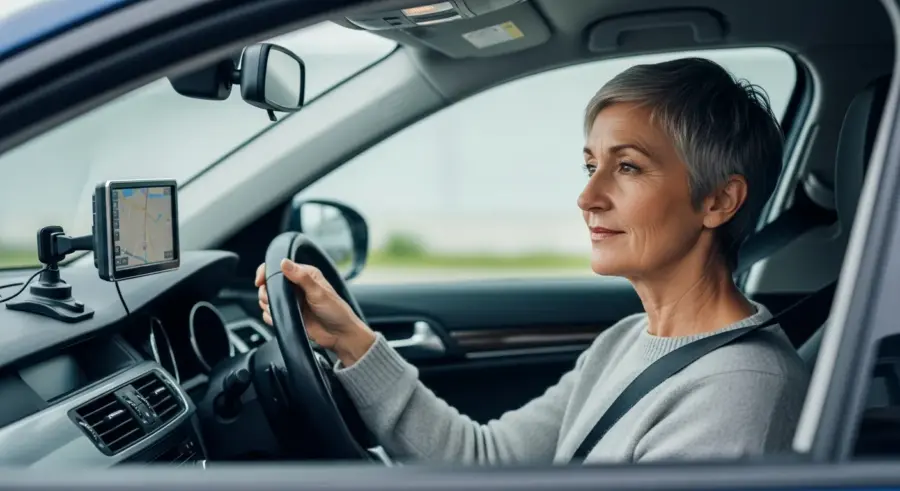
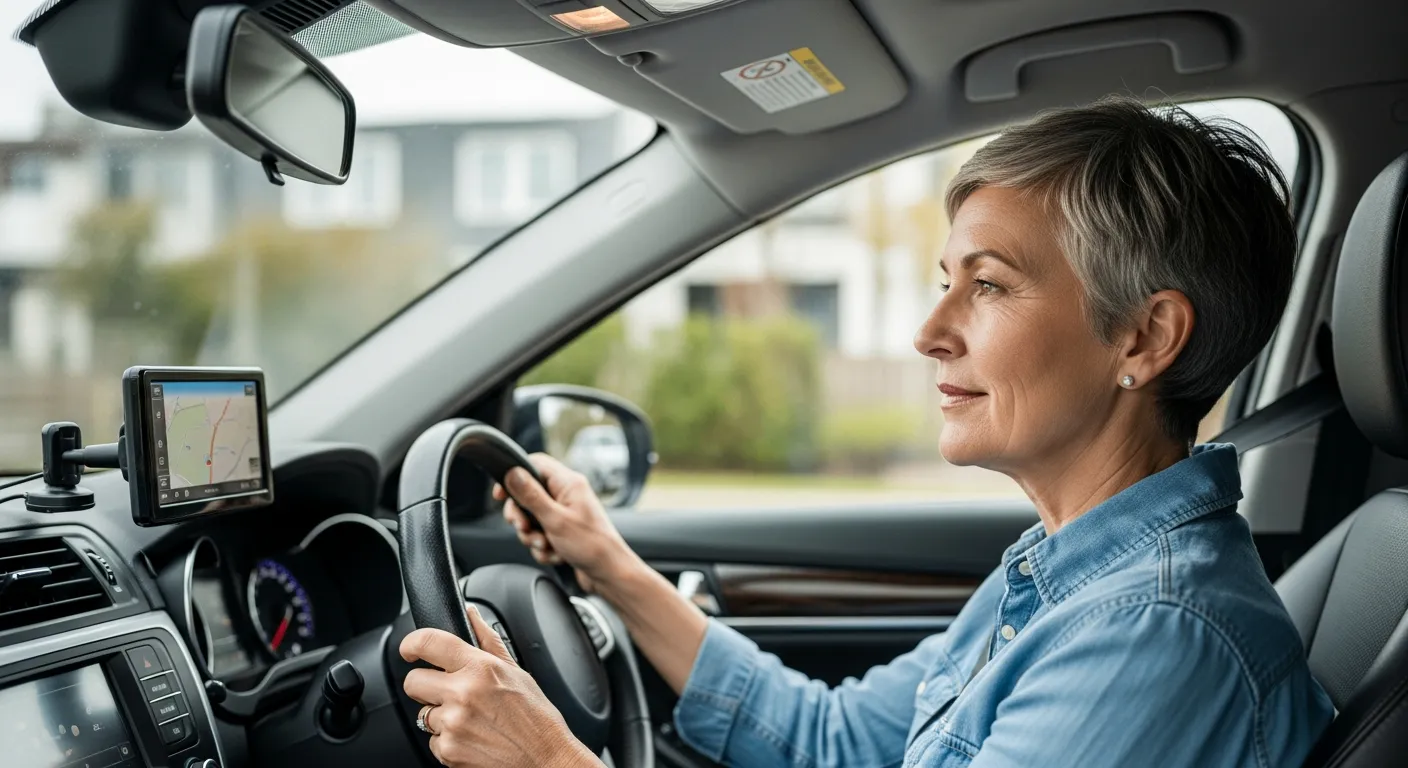
For dedicated GPS devices, start by mounting the device securely in your car, ensuring it doesn’t obstruct your view of the road. Connect the device to a power source, such as the car’s cigarette lighter or USB port, to keep it charged during use.
Turn on the device and follow the on-screen prompts to set your preferred language, time zone, and other basic settings. Update the device’s maps to ensure you have the most current and accurate information available.
For smartphone apps, download the app from your device’s app store and follow the installation instructions. Grant the app the necessary permissions, such as access to your location and contacts.
Take the time to familiarize yourself with the device’s features and settings. Practice using the device in a safe environment, such as your driveway or a parking lot, before using it on the road.
Customize the device’s settings to suit your preferences, such as adjusting the volume, screen brightness, and voice guidance options. Ensure that the device is properly calibrated and that the maps are up-to-date.
If you’re using a wearable GPS tracker, ensure that it is properly charged and securely attached to your wrist or clothing. Test the device’s SOS button to ensure that it connects to emergency services or your designated contacts.
Consider creating a cheat sheet or quick reference guide with the device’s most important features and functions. This can be helpful for seniors who may have difficulty remembering how to use certain features.
Finally, don’t hesitate to seek help from a friend, family member, or technical support if you encounter any difficulties setting up your GPS device. Proper setup is essential for ensuring that the device functions correctly and provides accurate navigation.
Planning Your Route
Planning your route ahead of time can make your trip smoother and more enjoyable. Whether you’re driving or walking, taking a few minutes to map out your journey can help you avoid getting lost and reduce stress.
Start by entering your destination into your GPS device or navigation app. Many devices and apps allow you to save frequently visited locations, such as your home, doctor’s office, or community center, for quick access.
Review the suggested route and make any necessary adjustments based on your preferences, such as avoiding highways or toll roads. Check for any potential traffic delays or road closures along the route and plan accordingly.
If you’re walking, consider the distance and terrain of the route, ensuring it is manageable and safe for your physical abilities. Share your route with a trusted friend or family member, especially if you’re traveling alone, so they know your planned itinerary.
Pay attention to the estimated travel time and factor in any potential delays, such as traffic or construction. Consider alternative routes in case of unexpected delays or road closures.
If you’re driving, make sure to check the weather forecast before you leave and adjust your route accordingly. Avoid driving in hazardous conditions, such as heavy rain or snow, if possible.
If you’re walking, wear comfortable shoes and clothing and bring a water bottle to stay hydrated. Consider bringing a map or compass as a backup in case your GPS device fails.
Before you leave, inform a friend or family member of your planned route and estimated time of arrival. This can be helpful in case of an emergency or if you get lost along the way.
By taking the time to plan your route in advance, you can ensure a safer and more enjoyable trip. Proper planning can also help you avoid stress and anxiety, allowing you to focus on enjoying your journey.
Using GPS While Driving or Walking
Using GPS while driving or walking requires careful attention to safety and awareness of your surroundings. When driving, mount your GPS device in a location that doesn’t obstruct your view of the road and is easily visible.
Use voice-guided directions to avoid taking your eyes off the road, and familiarize yourself with the route before you start driving. If you need to make changes to the route or settings, pull over to a safe location before doing so.
- Keep the volume at a comfortable level
- Avoid distractions while driving
- Be aware of your surroundings
- Take breaks when needed
- Trust your instincts
When walking, keep your GPS device or smartphone in a secure pocket or bag to prevent it from falling. Be mindful of your surroundings, especially when crossing streets or navigating crowded areas.
Avoid using headphones or earbuds while walking, as they can impair your ability to hear approaching vehicles or other hazards. Pay attention to traffic signals and pedestrian crossings, and always follow local traffic laws.
If you’re using a wearable GPS tracker, make sure it is securely attached and that you are aware of its limitations. The device may not be accurate in certain areas, such as indoors or in dense urban environments.
Take breaks as needed, especially if you’re walking long distances. Stop in a safe location to rest and rehydrate, and avoid pushing yourself beyond your physical limits.
Trust your instincts and be aware of your surroundings at all times. If you feel uncomfortable or unsafe in a particular area, change your route or seek help from a trusted source.
Remember that GPS is a tool to assist you with navigation, but it is not a substitute for common sense and good judgment. Always prioritize safety and be aware of your surroundings when using GPS while driving or walking.
Understanding Navigation Apps
Navigation apps have become a staple for many smartphone users, offering an array of features that go beyond basic directions. These apps use GPS to provide real-time guidance, traffic updates, and points of interest along your route.
Popular navigation apps like Google Maps, Apple Maps, and Waze offer voice-guided directions, customizable routes, and offline map access. Google Maps is widely used and offers comprehensive map data, including street views and business listings.
Apple Maps is integrated into iOS devices and provides a clean, user-friendly interface with turn-by-turn navigation and Siri integration. Waze focuses on community-based traffic updates, allowing users to report accidents, road closures, and speed traps in real time.
Many navigation apps offer additional features, such as public transportation directions, cycling routes, and the ability to share your location with friends and family. These apps are constantly updated with new features and improvements, making them a valuable tool for navigating the world.
Beyond the popular choices, consider apps like Maps.me, which specializes in offline maps, ideal for areas with limited connectivity. OsmAnd is another open-source option offering highly detailed maps and customization.
When selecting a navigation app, consider factors like user interface, map accuracy, and the availability of offline maps. Experiment with a few different apps to find one that best suits your needs and preferences.
Ensure that the app is compatible with your smartphone and that you have enough storage space to download the necessary map data. Regularly update the app to ensure that you have the latest features and bug fixes.
Familiarize yourself with the app’s settings and customization options to tailor the navigation experience to your liking. Learn how to save frequently visited locations, adjust voice guidance settings, and report traffic incidents.
Troubleshooting Common GPS Issues
Despite their reliability, GPS devices and navigation apps can sometimes encounter technical issues. One common problem is a weak or nonexistent GPS signal, which can occur in areas with tall buildings, dense foliage, or inside buildings.
If you’re experiencing a weak signal, try moving to an open area with a clear view of the sky. Ensure that your device’s GPS is enabled in the settings menu and that the app has permission to access your location.
Another common issue is inaccurate or outdated map data, which can lead to incorrect directions or missing points of interest. Regularly update your device’s maps to ensure you have the most current information available.
If your device is displaying incorrect information, check the app’s settings to ensure your location is set correctly. If you continue to experience issues, try restarting your device or contacting the manufacturer’s customer support for assistance.
Battery drain can be a concern, especially with older devices. Consider carrying a portable charger or adjusting settings to conserve power.
Sometimes, interference from other electronic devices can affect GPS accuracy. Try turning off Bluetooth or Wi-Fi to see if it improves the signal.
If your device is frozen or unresponsive, try performing a hard reset. Consult your device’s manual for instructions on how to perform a hard reset.
Make sure the device’s software is up to date. Software updates often include bug fixes and performance improvements that can resolve common GPS issues.
If all else fails, contact the manufacturer’s customer support for assistance. They may be able to provide specific troubleshooting steps or arrange for a repair or replacement.
Tips for Using GPS Safely
Safety should always be a top priority when using GPS, whether you’re driving or walking. Avoid distractions while driving by setting up your GPS device or navigation app before you start your trip.
Use voice-guided directions to keep your eyes on the road, and never input destinations or adjust settings while driving. Be aware of your surroundings and don’t rely solely on the GPS for navigation.
Pay attention to road signs, traffic signals, and pedestrian crossings, and always follow local traffic laws. If you’re walking, stay on designated sidewalks or paths and be mindful of traffic.
Avoid using headphones or earbuds while walking, as they can impair your ability to hear approaching vehicles or other hazards. If you’re traveling in an unfamiliar area, let someone know your planned route and estimated time of arrival.
Ensure that your GPS device is securely mounted in your car and does not obstruct your view of the road. Keep the volume at a comfortable level so that you can hear important sounds, such as sirens or horns.
If you’re using a smartphone app for navigation, consider using a car mount to keep your phone secure and visible. Avoid holding your phone while driving, as it can be distracting and dangerous.
Be aware of the limitations of GPS technology and don’t rely on it blindly. GPS signals can be unreliable in certain areas, such as tunnels or dense urban environments.
If you’re driving in an unfamiliar area, take the time to familiarize yourself with the route before you leave. Consider bringing a map or atlas as a backup in case your GPS device fails.
Finally, always prioritize safety and be aware of your surroundings when using GPS. Don’t let technology distract you from the task at hand, whether it’s driving or walking.
Conclusion
Using GPS for seniors can significantly enhance their independence, safety, and social connectivity. By understanding the technology, choosing the right device or app, and following safety tips, seniors can navigate the world with confidence.
Whether it’s running errands, attending social events, or exploring new places, GPS can empower seniors to stay active and engaged in their communities. With the right tools and knowledge, seniors can embrace the benefits of GPS technology and enjoy a more fulfilling and independent lifestyle.
The key takeaway is that GPS is more than just a navigation tool; it’s a gateway to maintaining an active and connected life. By embracing this technology, seniors can continue to explore the world around them with confidence and security.
Encourage seniors to explore the various options available and find a GPS solution that fits their individual needs and preferences. With a little bit of research and practice, they can unlock the full potential of GPS technology and enjoy a more independent and fulfilling lifestyle.
Ultimately, the goal is to empower seniors to live their lives to the fullest, and GPS technology can play a significant role in achieving that goal. By providing them with the tools they need to navigate the world safely and confidently, we can help them maintain their independence and stay connected to their communities.